
TripWorks connects to a range of third-party services so you can take payments, track marketing performance, capture calls, and automate the busywork around a booking, without leaving your existing tools behind. This is the map of what's available; each row links to the setup guide for that integration.
In this article
Payments
| Integration | What it's for |
|---|---|
| Stripe | Connect your bank account to accept debit and credit card payments from customers, and get paid out. |
Marketing & analytics
| Integration | What it's for |
|---|---|
| Google Ads | Report completed bookings back to Google Ads as conversions, so you can measure ad spend against real revenue. |
| Google Analytics (GA4) | Send bookings to GA4 as purchase and conversion events, with revenue and item detail. |
| Meta (Facebook) & TikTok pixels | Fire a purchase event on every completed booking for retargeting and ad optimization. |
| People Data Labs | Enrich customer profiles with attributes like location, date of birth, gender, and social profiles, to improve segmentation and marketing. |
| Cometly | Track events across your marketing and sales funnel and feed precise conversion data back to ad platforms. |
| Ambassador | Run referral programs: track referrals and reward advocates to grow your brand through word-of-mouth. |
Phone & calls
| Integration | What it's for |
|---|---|
| CallRail, RingCentral, Dialpad, OpenPhone, Vonage, Kixie, or CallTrackingMetrics | Get every call recorded, transcribed, and analyzed automatically, with call data available directly in TripWorks. |
Calendar & email
| Integration | What it's for |
|---|---|
| Google Calendar, Apple Calendar & Outlook | Subscribe to a TripWorks iCal feed so bookings appear on your calendar automatically. |
| Mailchimp | Automatically add new TripWorks customers to your existing audience/contact list. |
Automation & developer tools
| Integration | What it's for |
|---|---|
| Zapier | Send bookings, payments, waivers, and leads to thousands of apps with no code. |
| Webhooks | Post booking, payment, and waiver events to any endpoint you choose, in real time. |
| REST API and AI assistants | Build your own tools with the REST API, or run your account in plain English from Claude, ChatGPT, or Gemini. |
| Twilio | Control the phone number TripWorks uses to send guest SMS, and manage replies. |
Guest media
| Integration | What it's for |
|---|---|
| FotaFlo | Share trip photos and videos with guests to boost engagement and reviews. |
| PicThrive | Deliver branded photos and videos to guests to increase tips, reviews, and referrals. |
| VQuip | Sync reservation data for rental protection and risk management. |
| Google Business | Manage your business's Google presence — hours, location, and services — to improve search visibility. |
Connect an integration
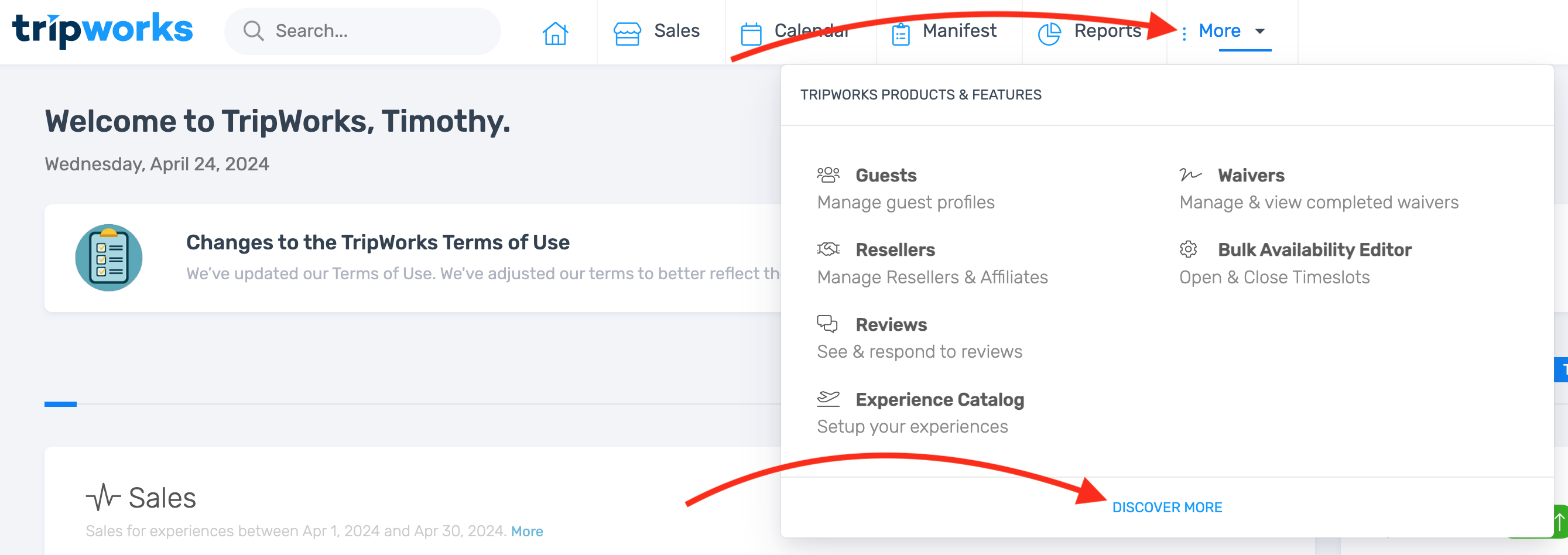
- Select More → Discover More from the toolbar.
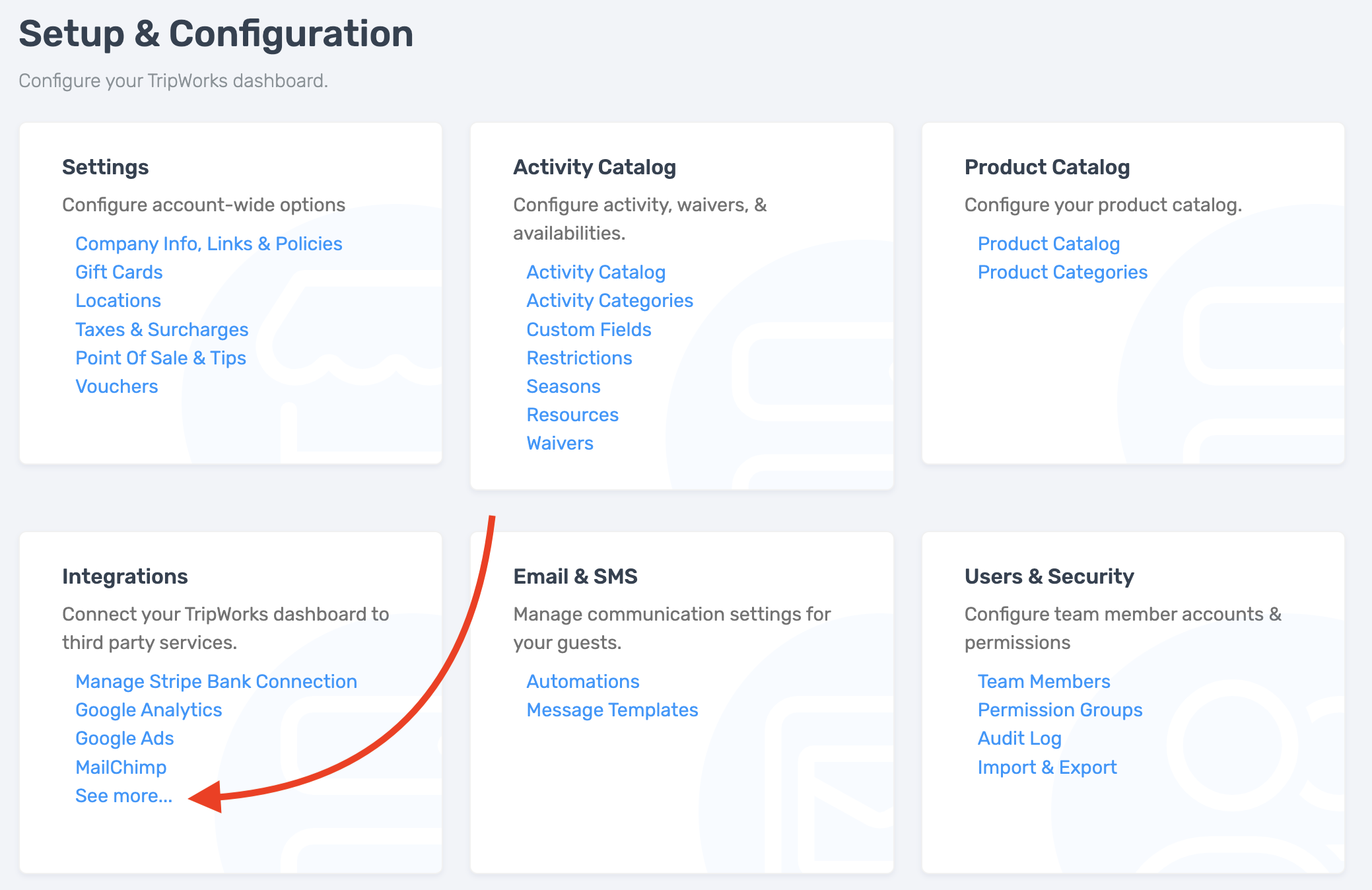
- Choose an integration from the list, or select See More… for the full catalog.
Frequently asked questions
Do I need a developer to connect an integration?
No, for most integrations in the list above. Each one links to a guided setup — usually connecting an account or pasting an API key. Webhooks and Zapier are the exceptions if you want fully custom automation, though Zapier itself needs no code.
What if I don't see the tool I use?
Check More → Discover More → See More… for the full catalog — it's larger than this overview. If it's still not there, Zapier or Webhooks can usually connect it without a native integration.
Related
Built for attractions, tours & activities
Connect the tools you already run on
See how attractions, tours, and activities connect TripWorks to their payments, marketing, and phone tools. Book a demo and make the switch.