
When you refund a guest, TripWorks can email them a refund confirmation so they know the money is on its way and see exactly what was returned. It's part of the refund step — you don't send it separately.
In this article
Send a refund message
- Open the trip's Payments tab and start a refund on the payment (Actions → Refund).
- Enter the refund amount and an optional note.
- Leave Send a refund email to the customer ticked — it's on by default.
- Confirm the refund. The guest gets the refund message right away.
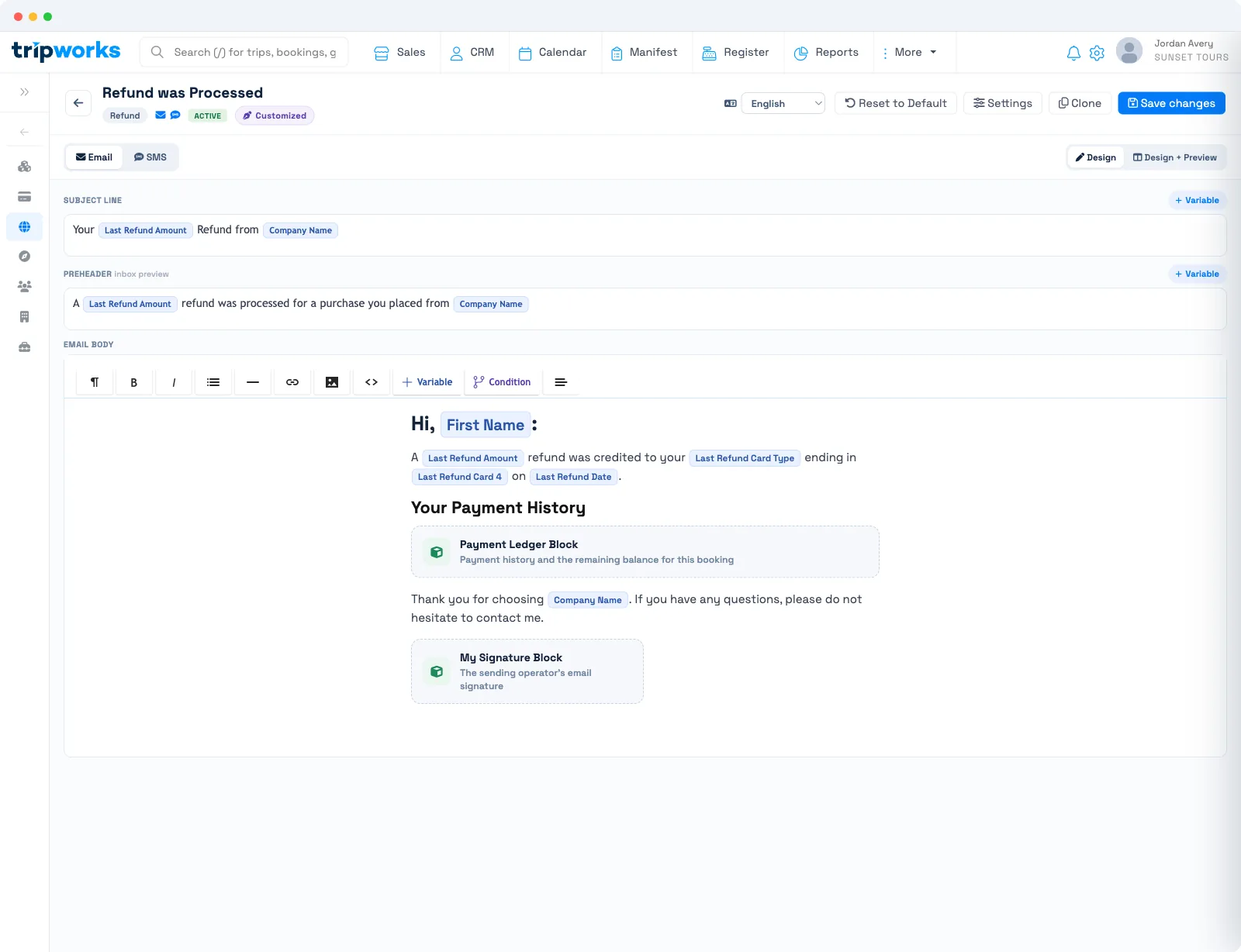
The message uses your template in the Refund category. It can fill in the refund amount, the card type and last four digits it went back to, the refund date, and the guest's payment history, so the email matches the actual refund.
Good to know
- On by default. The refund email sends unless you untick Send a refund email to the customer before confirming.
- It's a normal message template. Edit the wording under Message Templates; it must be in the Refund category. See conditional blocks and variables to tailor it.
- Refunding is separate from cancelling. If you're also cancelling the booking, that has its own cancellation message.
- Timing. Guests typically see the refund as a credit on their statement several business days later, depending on their bank — the email sets that expectation.
Frequently asked questions
Does the guest automatically get an email when I refund them?
Yes, as long as Send a refund email to the customer is ticked in the refund dialog — it is by default. Untick it to refund without emailing.
What does the refund email include?
It can show the refund amount, the card type and last four digits it was refunded to, the refund date, and the guest's payment history — all filled in from the actual refund.
Can I change the wording of the refund email?
Yes. Edit the template in the Refund category under Message Templates like any other template.
Related
Built for attractions, tours & activities
Refunds your guests can trust
See how attractions, tours, and activities process refunds and keep guests informed on TripWorks, all in one place. Book a demo and make the switch.