
A few small icons can show up to the left of a booking on the Manifest. Each one flags something worth a second look: a brand-new booking, an unpaid balance, a voucher that's still needed, or a booking that came in through an import. Hover any icon for a tooltip with the specifics.
In this article
The new-booking lightning bolt
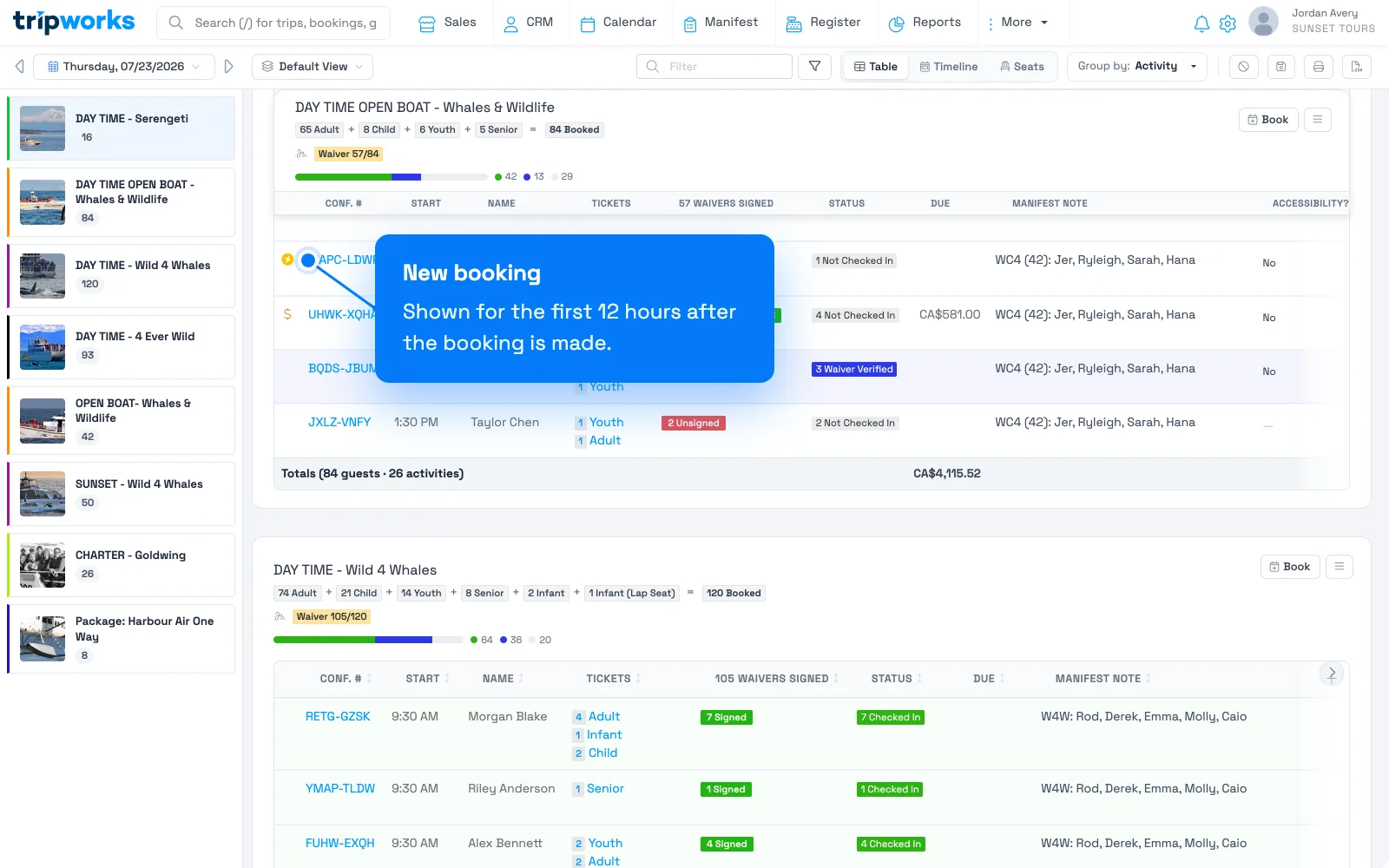
An amber lightning bolt marks a booking created within the last 12 hours. Hovering shows "New booking" plus how long ago it was made (for example, "2 hours ago"). The 12 hours are counted from when the booking was made, not from the trip date, and the bolt disappears on its own once that window passes. There's no setting to turn it off or extend it.
The balance-due dollar sign
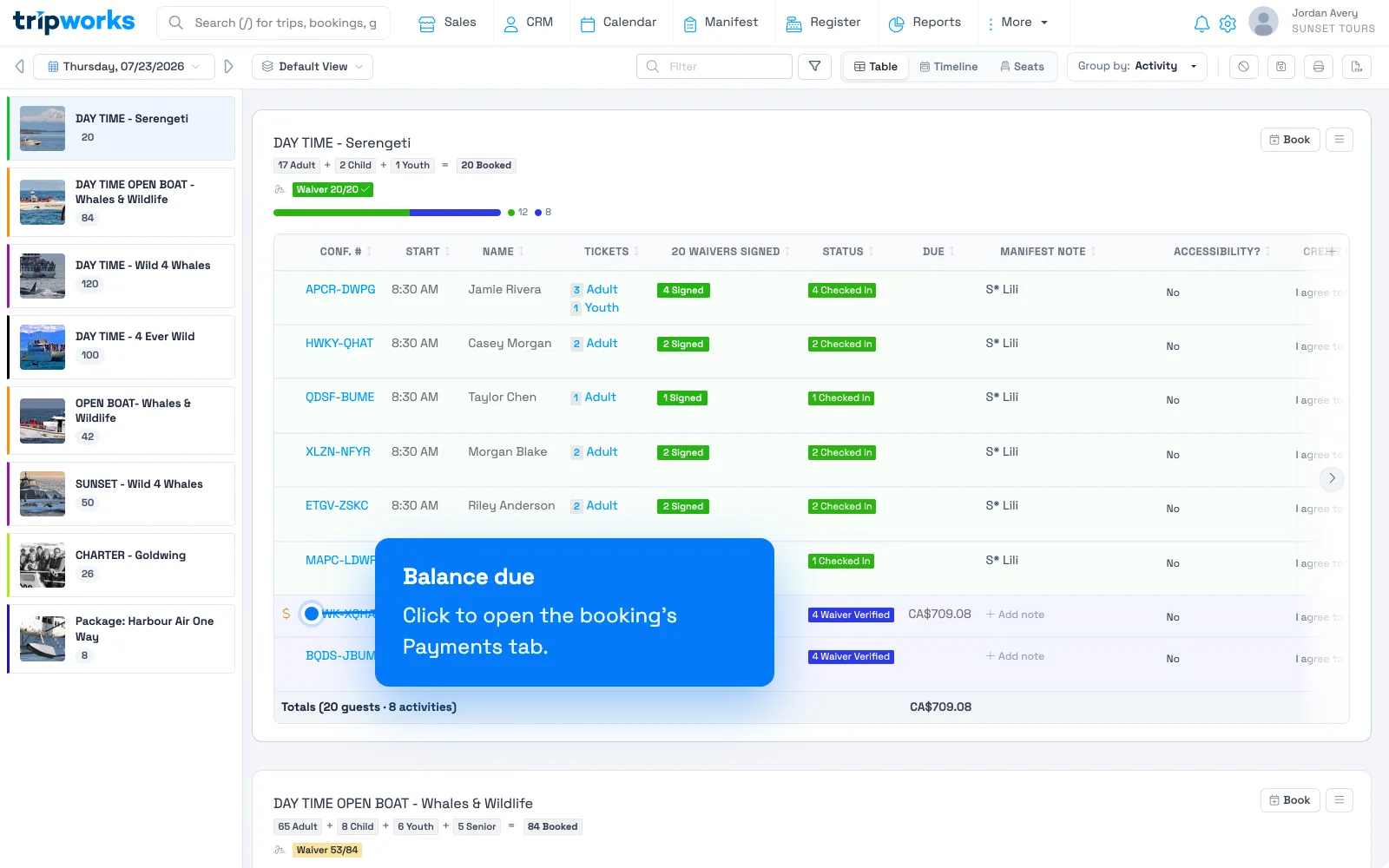
A dollar sign marks a booking that still has money owed on it. Hovering shows the outstanding balance, and selecting the icon jumps straight to that booking's Payments tab. This icon is about the balance, not check-in status: it shows on any active (non-cancelled) booking with a balance due, whether or not the guest has already checked in, and it clears once the balance is paid.
The voucher-required flag
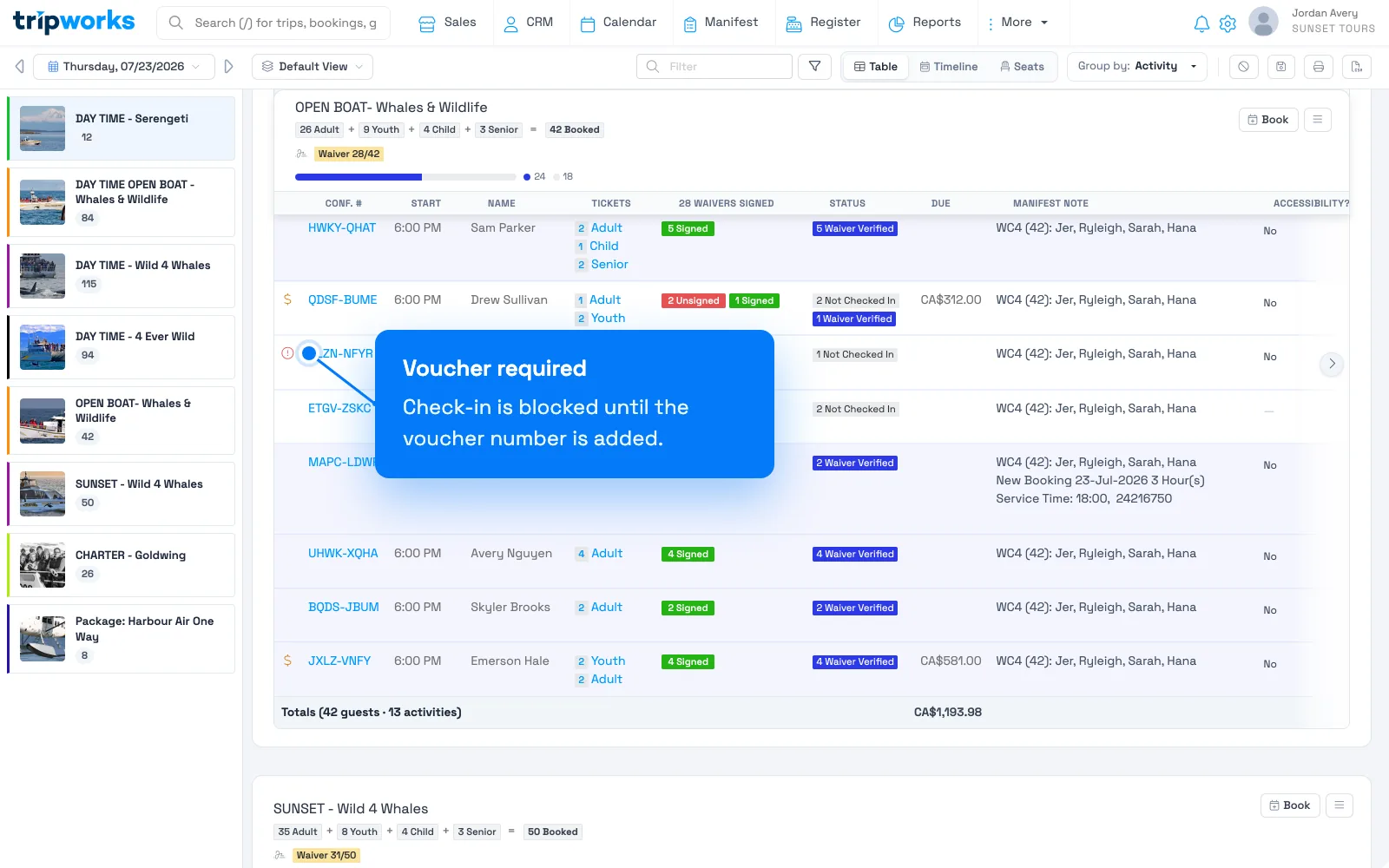
A red alert icon labeled "Voucher Required" appears on reseller bookings that need a voucher number before the guest can check in. It also disables check-in for that booking directly. Add the voucher number and both the flag and the check-in block clear.
The import-review flag
A red alert icon reading "This booking was manually imported and may need review" marks a booking that came in through a manual import rather than a normal sale. Treat it as a prompt to double-check the guest details, activity, timeslot, and payment before relying on it.
Other status icons you may see
A few less common icons can appear in the same spot: a gray ban icon for a booking that was cancelled and rebooked, a red ban icon for one cancelled with no rebooking yet, a blue alert for a manually overbooked slot, and a yellow star next to a guest's name for a VIP customer.
Frequently asked questions
How long does the lightning bolt stay on the Manifest?
12 hours from when the booking was created, not from the trip date. It disappears automatically after that, and there's no way to turn it off or extend the window.
Why does a booking show the dollar-sign icon?
It has money still owed. Hover the icon to see the amount, or select it to jump to that booking's Payments tab. It shows regardless of whether the guest has checked in, and disappears once the balance is paid.
Why can't I check in a guest with a "Voucher Required" flag?
That flag means it's a reseller booking that still needs its voucher number. Check-in stays disabled until the voucher number is added to the booking.
What should I do with a booking flagged as manually imported?
Give it a quick review before treating it as final: confirm the guest details, activity, timeslot, and payment amount are all correct, since it came in outside the normal booking flow.
Related
Built for attractions, tours & activities
Run your day from one screen
See how attractions, tours, and activities run operations on TripWorks. Book a demo and make the switch.