
Per ticket type, per timeslot gives every ticket type its own seat pool in each timeslot. Instead of one shared limit, you set a separate cap for Adults, Children, Seniors, and so on — and each fills up independently.
In this article
Use it whenever different types of guests have different limits, even though they share the same timeslot.
Availability is tracked per type: each ticket type's remaining count is its cap − its bookings − its holds, and the timeslot closes a type once that type is full — even if other types still have room.
Set it up
- On the activity's Capacity tab, choose Per ticket type, per timeslot.
- Set a maximum for each ticket type. (Add or rename types first on the Ticket Types tab.)
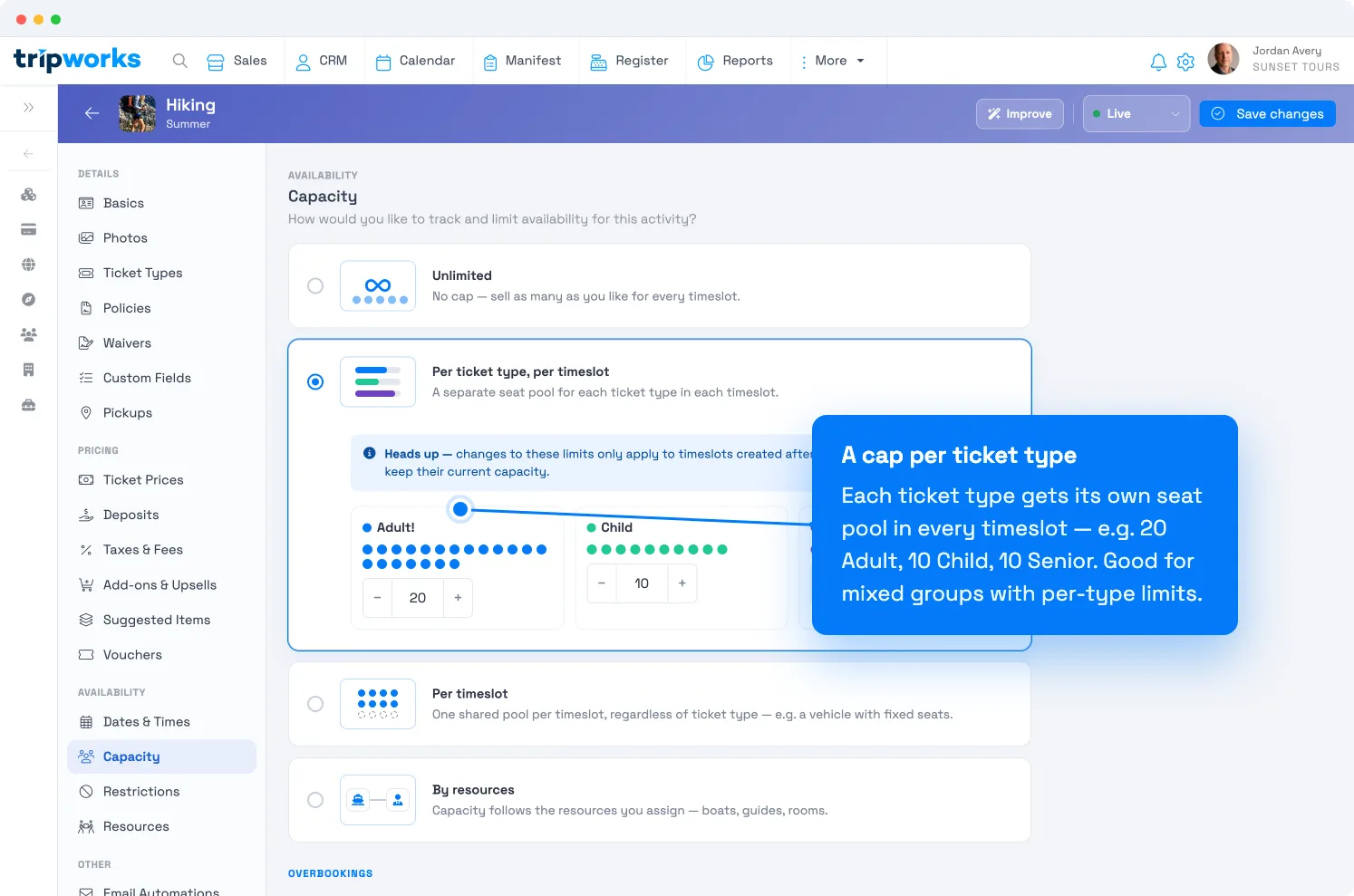
Each ticket type gets its own cap — here 20 Adult, 10 Child, 10 Senior. - Select Save changes.
New caps apply to timeslots created after the change; existing timeslots keep their current limits. Edit capacity per date to change slots already on the calendar.
When to use it
- Safety or comfort limits by type. "We can handle 10 adults but no more than 5 children at once."
- Seating that differs by type. A boat with 10 adult seats and 5 child seats; a bus with 10 passenger seats and 2 wheelchair spaces.
- Any activity where one type's ceiling shouldn't eat into another's.
If every guest simply takes one of the same seats, a single shared pool is simpler — use Per timeslot instead.
Per ticket type vs. per timeslot
| Per ticket type, per timeslot | Per timeslot | |
|---|---|---|
| Seat pools | One per ticket type | One shared pool |
| Caps | A number for each type | A single total |
| "5 kids max, 10 adults max" | ✅ Yes | ❌ No |
| "50 people, any mix" | ❌ Overkill | ✅ Yes |
| Channel ticket caps | — | ✅ Available |
Frequently asked questions
What if one type sells out but others don't?
That type stops selling while the others stay open. Each type has its own pool, so a full Child pool doesn't block Adult sales.
How do the per-type numbers combine into the timeslot total?
That depends on your Availability calculations setting — either the types share one pool ("use the default ticket type") or they add up ("sum all"). See set activity capacity limits.
Where do I add or rename ticket types?
On the activity's Ticket Types tab. The caps here appear for whatever types exist there.
Related
- Set activity capacity limits
- Capacity: per timeslot
- Capacity: by resources
- Availability vs. capacity
Built for attractions, tours & activities
Cap each ticket type on its own terms
See how attractions, tours, and activities balance mixed groups — adults, kids, wheelchair spaces — with per-type limits on TripWorks. Book a demo and make the switch.