
By resources ties an activity's capacity to the real things a booking consumes — boats, kayaks, life jackets, guides, rooms. Instead of a fixed number, availability is derived from your resource pool: a timeslot is bookable only while the resources it needs are free, and it closes automatically the moment they're all spoken for.
In this article
Because capacity is dynamic, this model also respects blackouts — take a boat out of service for maintenance and its seats drop out of availability for that window automatically.
This article covers how the capacity model behaves and the options on the Capacity tab. Setting up the resources themselves — creating resource groups and telling each ticket type what it uses — is a separate step. See resources & resource groups to build those first; this model has nothing to draw on until you do.
Turn it on
- Make sure your resources and resource groups exist and are assigned to the activity's ticket types.
- On the activity's Capacity tab, choose By resources.
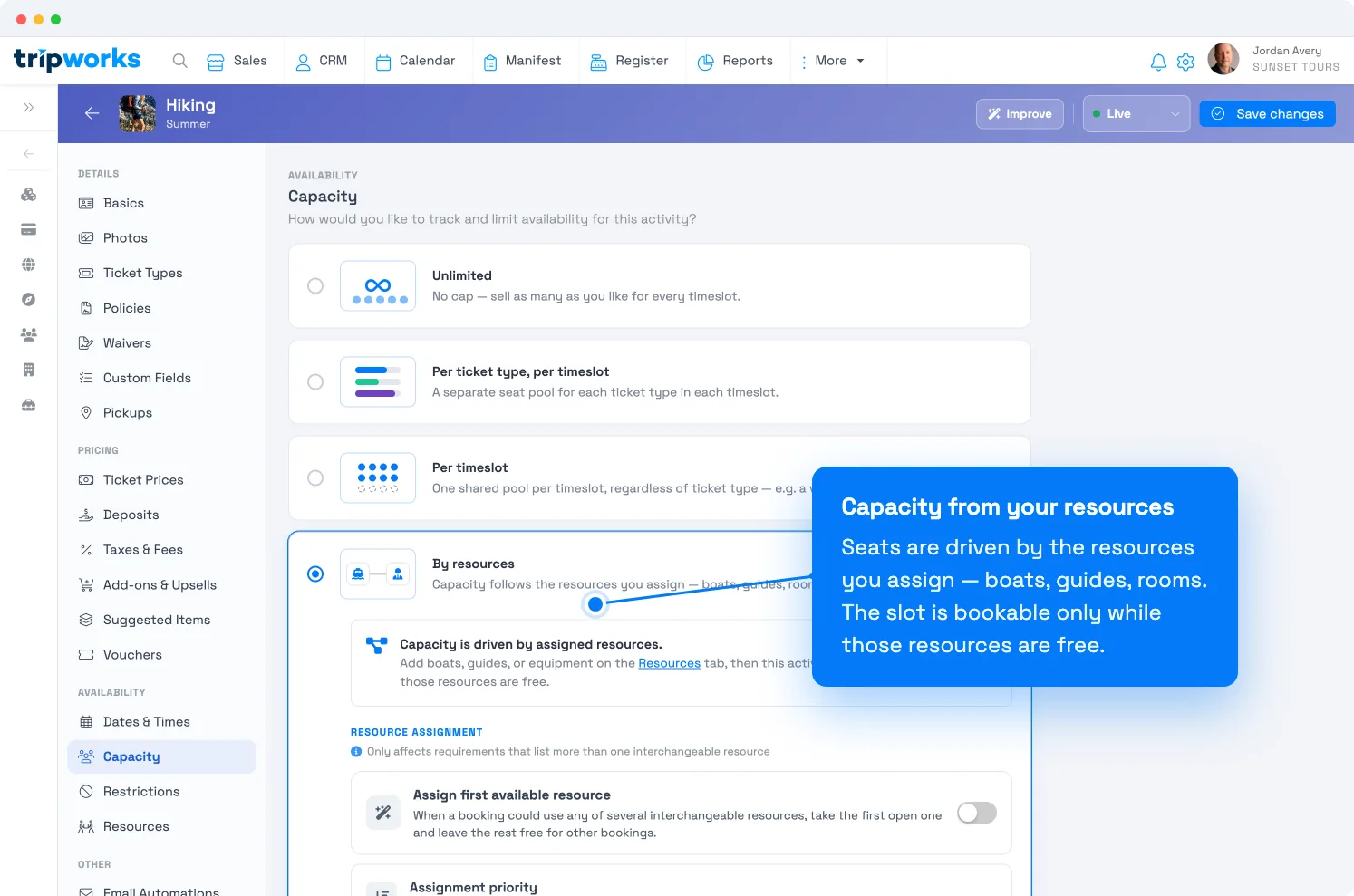
Capacity follows the resources you assign; the options below tune how they're allocated. - Adjust the assignment and limit options as needed (below), then select Save changes.
Assignment options
These control how TripWorks hands out resources as bookings come in. They only matter when a booking could be served by more than one interchangeable resource.
- Assign first available resource. When several interchangeable resources could take a booking, grab the first open one and leave the rest free for other bookings — instead of spreading each booking across one of every resource.
- Assignment priority (when the above is on) — how bookings are packed:
- Fill up each resource — load one resource to capacity before opening the next. Maximizes how many you can sell, even if it means splitting a party across resources.
- Keep groups together — spread bookings so a party stays on the same resource whenever possible. Best when families or groups should ride together. If no single resource can fit the whole group, TripWorks splits them only as a last resort.
Operational limits
- Daily resource cutoff. Set a time by which resources must be back, and TripWorks won't sell a slot whose usage would run past it. For a 5:00 PM cutoff, a 3-hour window can't start after 2:00 PM. No math on your part — just set the cutoff time.
- Max resource capacity. A ceiling on how many guests a single resource takes per timeslot, below what it could otherwise hold. Handy when you have more equipment than your team can safely run at once — e.g. 10 boats that seat 100, but you cap sales at 25 per slot for staffing. It only ever lowers what a resource could seat; it never raises it.
How availability is figured
For By resources, availability isn't a single stored number — it's computed from the pool:
Start from the seats your assigned resources provide → subtract any blackouts → subtract what's already in use → apply your max resource capacity ceiling and any channel caps → subtract holds.
That's why adding a boat, blacking one out, or changing a resource's size all move availability on their own.
Frequently asked questions
I picked By resources but nothing's bookable.
The activity has no resources to draw on yet. Create your resources & resource groups and assign them to the ticket types, then availability will appear.
What's the difference between "fill up each resource" and "keep groups together"?
"Fill up each resource" packs resources one at a time for maximum capacity, splitting groups if needed. "Keep groups together" keeps a party on one resource when it can, splitting only as a last resort.
How do blackouts affect this?
A blackout takes a resource out of service for a window, removing its seats from availability for that time. Blackouts apply only to resource-based capacity. See availability vs. capacity.
Can I use channel ticket caps with this model?
No — channel caps are a feature of the fixed Per timeslot model. Resource-driven capacity and fixed channel ceilings don't combine.
Related
- Set activity capacity limits
- Resources & resource groups
- Capacity: per timeslot
- Availability vs. capacity
Built for attractions, tours & activities
Never oversell a boat again
See how attractions, tours, and activities tie availability to the equipment and guides they actually have — on TripWorks. Book a demo and make the switch.