
Webhooks fire on real actions in your account, so you test by pointing an event at a free inspector URL, doing the real thing, and watching the request arrive. If nothing shows up, the checklist below finds the cause.
In this article
Learn how to manage permission groups
Test a webhook
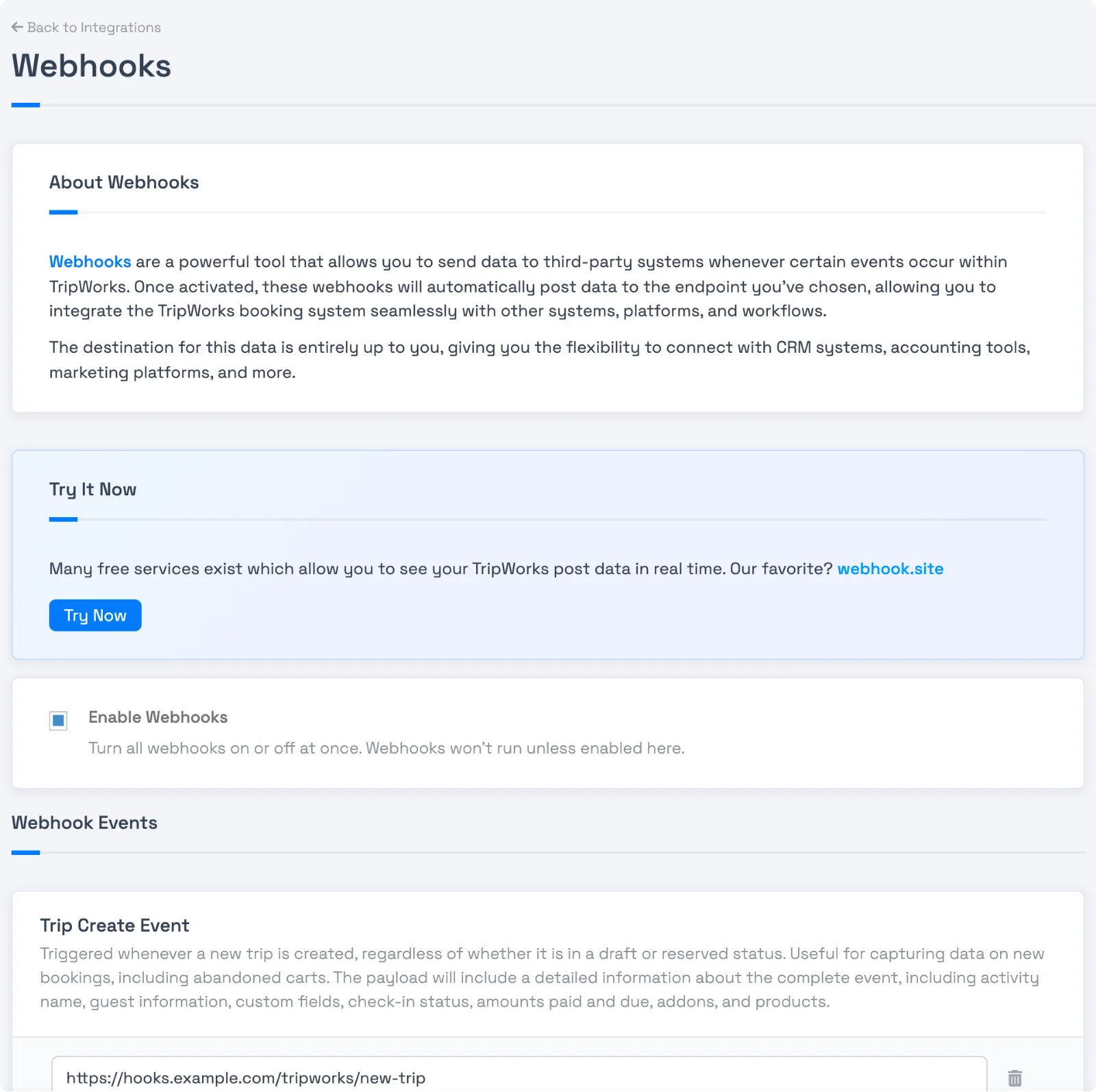
- Open Setup Tools Integrations and select Manage on the Webhooks card.
- Select Try Now to open webhook.site, which gives you a temporary URL and shows every request sent to it. Copy the URL.
- Make sure Enable Webhooks is on. Paste the URL into the event you want to test, then select Save.
- Do the real action. For
trip_created, start a new trip. Forpayment_created, record a payment. - Watch the request appear on webhook.site, usually within a few seconds. Check the JSON against Webhook events and example payloads.
- When you're done, replace the test URL with your real endpoint, or clear it.
Use a test or draft activity so you don't create real guest records. A new draft trip fires trip_created, so you can test without taking a booking.
If nothing arrives
Work down this list. The first few cause most problems.
- Enable Webhooks is off. It's the master switch. Nothing sends unless it's on.
- The event has no URL. Each event sends only to its own URLs. Check you added the URL to the right event.
- You didn't save. Select Save at the bottom of the screen. Changes apply right away after that.
-
The action doesn't fire that event. Adding a note sends
note_created, nottrip_updated. See the event list. - Your endpoint answered with a 4xx. A 400, 401, 403, or 404 stops delivery with no retry. See Webhook retries and failed deliveries.
- Your endpoint was too slow. Anything over 15 seconds counts as a failure.
- The URL is a private address. TripWorks refuses addresses on private or internal networks. See Secure your webhook endpoint.
-
Your endpoint redirects. Up to three redirects are followed, but not to private addresses or from
httpsdown tohttp.
If events arrive late, twice, or out of order
These are normal after a failure and a retry. See How webhook delivery works for how to handle them with the Idempotency-Key.
Examples
-
Test a new CRM sync: point
trip_createdat webhook.site, start a draft trip, and confirm the guest fields you need are in the JSON. -
Check why payments aren't reaching accounting: confirm
payment_createdhas a URL, then record a small test payment and watch for the request. - Prove an endpoint is slow: time the request in webhook.site's log, since anything near 15 seconds will fail.
-
Compare a failing event with a working one: send both to webhook.site and read the
X-TripWorks-Delivery-Attemptheader on each.
Frequently asked questions
How do I test a webhook?
Point an event at a free inspector URL such as webhook.site, then do the real action in your account, for example start a draft trip for trip_created, and watch the request arrive.
Why isn't my webhook firing?
Check that Enable Webhooks is on, the event has a saved URL, and the action you took actually triggers that event.
Does Try Now send me sample data?
No. It opens a free inspector site where you can see real requests as they arrive. The setup screen's Example JSON Payload panels show what each event looks like.
Do test events affect real guests?
A webhook only sends data out. It doesn't email or charge anyone. But the action you take to trigger it is real, so use a draft trip.
How do I know if a delivery failed?
Check your own server logs first. TripWorks records a final failure in the audit log for the record. Retries are described in Webhook retries and failed deliveries.
Who do I ask if I'm still stuck?
Contact TripWorks support with the event name, the time you triggered it, and your endpoint's host name.
Related
Built for attractions, tours & activities
Wire TripWorks into everything else
See how attractions, tours, and activities push bookings, payments, and waivers into their own systems in real time on TripWorks. Book a demo and make the switch.