
If your server is down or slow when a webhook arrives, TripWorks doesn't give up on the first try. It retries on a schedule, up to six attempts in total over about eight and a half hours. If every attempt fails, the delivery is marked failed and TripWorks stops trying for that event.
In this article
This page covers what triggers a retry, the schedule, what happens after the last attempt, and how to catch up if you missed events.
What happens after each attempt
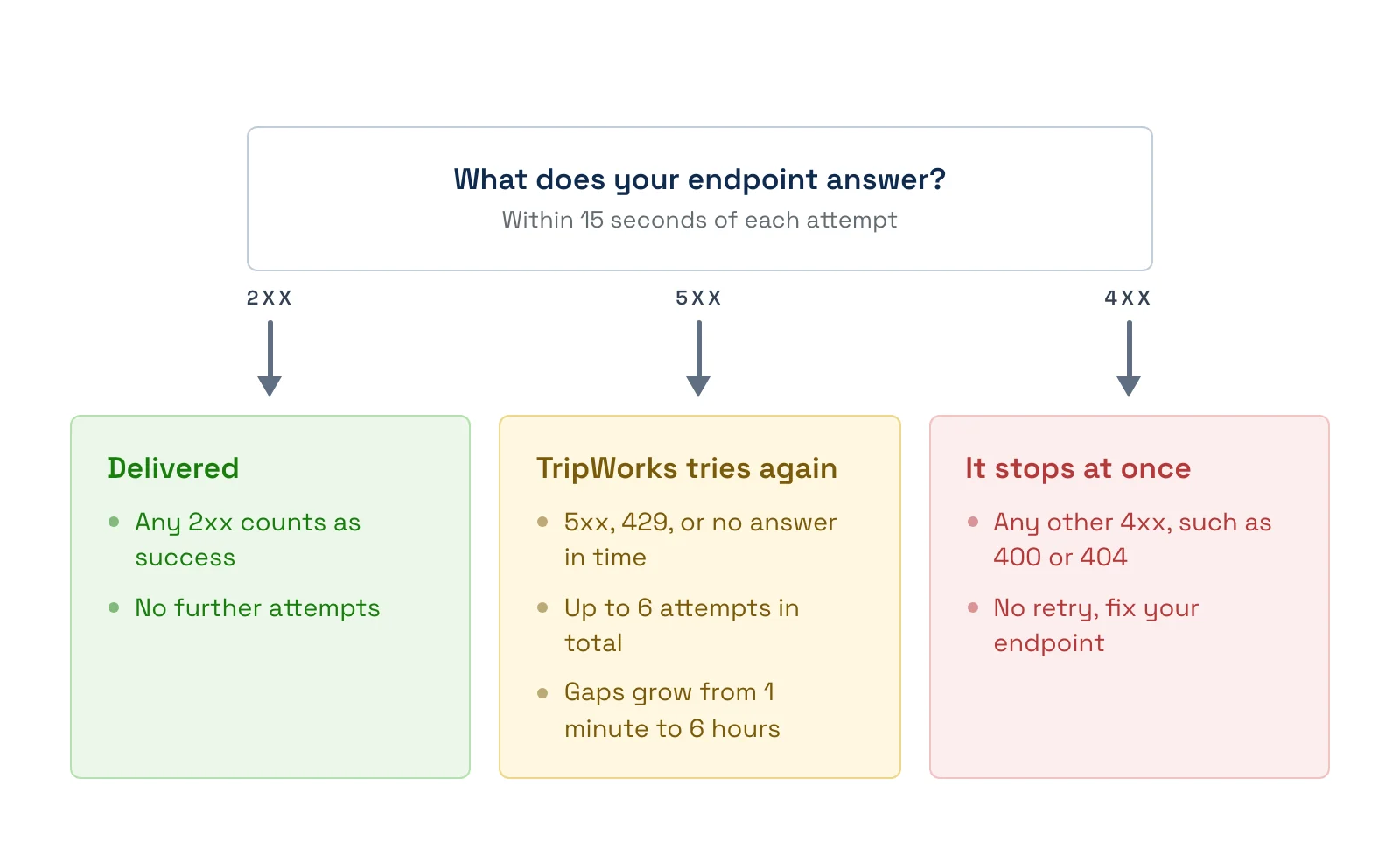
Which responses are retried
- Any 2xx: marked delivered, with no more attempts.
- 500 or any other 5xx: retried on the schedule below.
- 429 (too many requests): retried on the schedule below.
- No answer within 15 seconds, or a connection failure: retried on the schedule below.
- A host name that can't be found: retried on the schedule below.
- Any other 4xx, such as 400, 401, 403, or 404: stops. The delivery is marked failed with no retry.
- An address TripWorks refuses to send to: stops. It's cancelled with no retry.
A 4xx tells TripWorks the request itself is the problem, so sending it again wouldn't help. Fix the endpoint, then trigger a new event.
The retry schedule
Each wait starts when the previous attempt fails. TripWorks adds a small random offset to each wait so many failed deliveries don't all retry at the same moment.
- Attempt 1: about 5 seconds after the event.
- Attempt 2: about 1 minute after attempt 1 fails.
- Attempt 3: about 5 minutes after attempt 2 fails.
- Attempt 4: about 30 minutes after attempt 3 fails.
- Attempt 5: about 2 hours after attempt 4 fails.
- Attempt 6: about 6 hours after attempt 5 fails.
If attempt 6 fails, the delivery is marked failed. Retries never change the event: the same Idempotency-Key is sent each time, and X-TripWorks-Delivery-Attempt counts up from 1.
A delivery that gets stuck in progress for about 15 minutes is treated as lost and picked up again automatically.
After the last attempt
A failed delivery is not sent again automatically, and the endpoint keeps receiving new events as normal. The app doesn't show a delivery log, and a failed delivery is also recorded in the audit log for the affected record. TripWorks keeps delivery records for 90 days.
Catch up after an outage
When your server was down for hours, some events may have exhausted all six attempts. To catch up:
- Note when your outage started and ended.
- Use the REST API to list the trips, payments, or customers changed in that window.
- Compare the results with what you stored and fill the gaps.
- Make sure your receiver saves each
Idempotency-Keyso a late retry doesn't create a duplicate.
Make your receiver retry-friendly
- Return a 2xx as soon as you've saved the payload. Do slow work afterward.
- Return a 5xx only for real, temporary problems. A 5xx tells TripWorks to retry.
- Don't return a 4xx for a duplicate. Answer 200 so the retry stops.
- Save the
Idempotency-Keywith every event you process.
Examples
- Survive a 20-minute deploy: restart your server. Attempts at 1, 5, and 30 minutes mean most events land once it's back.
-
Spot a retry in your logs: search for
X-TripWorks-Delivery-Attemptvalues above 1. - Stop a retry storm: return 200 for events you already processed, instead of an error.
- Find out why an event never arrived: check whether your endpoint returned a 4xx, because that stops delivery immediately.
Frequently asked questions
Does TripWorks retry a failed delivery?
Yes, up to six attempts in total. Timeouts, connection failures, 5xx, and 429 responses are retried. Other 4xx responses are not.
How long does TripWorks keep retrying?
About eight and a half hours from the first attempt, across the six attempts.
Why wasn't my 404 retried?
A 404 or other 4xx means the request itself was rejected, so TripWorks stops. Fix the URL or endpoint, then trigger a new event.
Can I resend a failed webhook?
Not from the app. Failed deliveries aren't resent on their own either. Use the REST API to fetch what you missed, or contact support.
Will my endpoint be switched off if it keeps failing?
No. The endpoint stays on and receives future events. Only the failed event is dropped after its last attempt.
Will I get the same event more than once?
Possibly. If your server processed an event but the reply was lost, the retry sends it again. Deduplicate with the Idempotency-Key.
What does TripWorks do if my host name doesn't resolve?
It treats that as a temporary failure and retries on the schedule.
Related
- How webhook delivery works
- Test and troubleshoot webhooks
- Set up webhooks
Built for attractions, tours & activities
Wire TripWorks into everything else
See how attractions, tours, and activities push bookings, payments, and waivers into their own systems in real time on TripWorks. Book a demo and make the switch.