
Every list view in TripWorks now uses the same filter, view, and column pattern. Whatever you learn on one list applies to all of them — Trips, Bookings, Guests, Messages, Reviews, and more. This guide covers the three building blocks: the filter panel, saved views, and the column chooser.
In this article
The filter panel
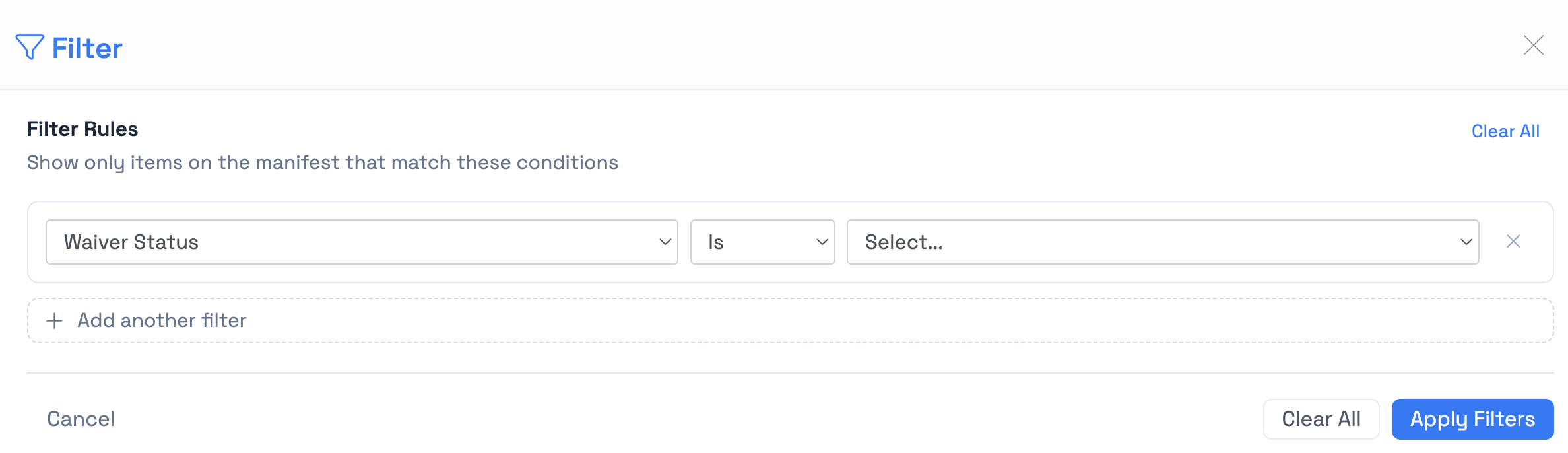
Every list view has a filter panel along the top (or in a side drawer on smaller screens). Filters update the list as you adjust them — no "Apply" button needed.
- Active filters appear as chips above the list. Click the X on a chip to remove that filter. Click Clear all to reset.
- Search works alongside filters — searches scope to whatever the current filters return.
- Date range filters use the same picker everywhere with quick options like "Today", "This week", and "Custom".
Saved views
Once you've configured a filter set you'll use again, save it as a view so you can return to it in one click.
Save a new view
- Set up the filters and column layout you want.
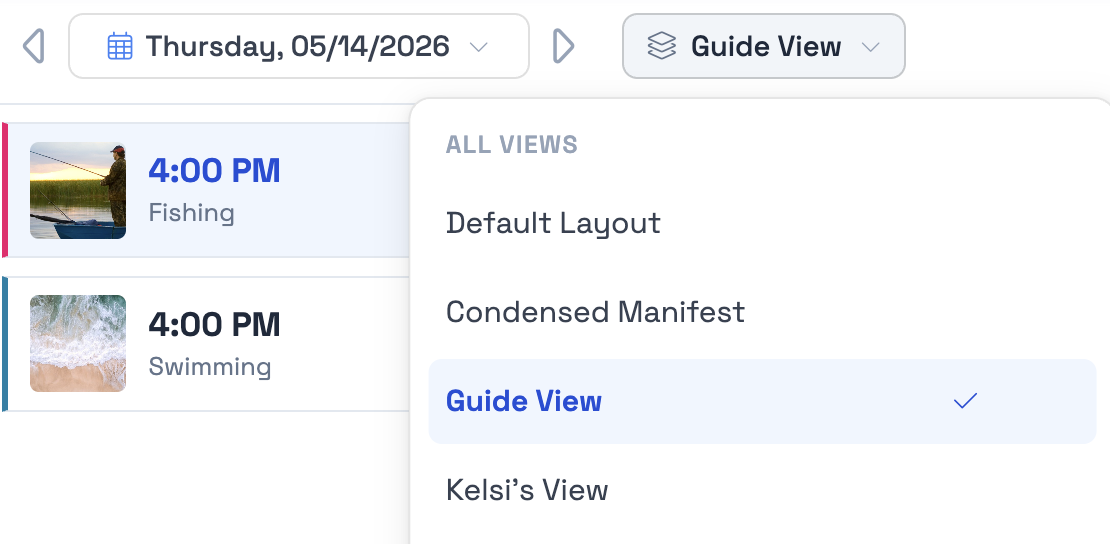
- Click the views dropdown at the top of the list.
- Click Save as new view.
- Give it a name (e.g., "Tomorrow's manifests", "Unread customer messages", "5-star reviews this month").
- Save.
Switch between views
Open the views dropdown and pick the view you want. The filters, sort order, and column layout all swap in. Your last-used view is remembered per list, so it's the default the next time you open that list.
Update or delete a view
From the views dropdown, hover any view and use the menu to Rename, Update with current filters, or Delete.
Saved views are personal, so each team member sees their own. If you want everyone on your team to use the same view, share the URL: saved-view URLs encode the filter state.
The column chooser
Show or hide columns and reorder them to match how you work.
- Click the columns icon in the upper-right of any list view.
- Check or uncheck columns to show or hide them.
- Drag rows in the panel to reorder columns left to right in the list.
- Close the panel — your changes apply immediately.
Column layout is saved as part of the active view, so each saved view can have its own column set.
Grouping a view
Some lists let you group rows rather than show them flat. The Manifest, for example, can group by activity, by time, or by time and pickup together.
Grouping is part of the view, alongside the filters and the column layout, so a view saved while grouped reopens grouped the same way. The columns you removed stay removed in a grouped view, and adding a grouping doesn't bring hidden columns back.
If you group a view and want to keep it, save it as its own view. Grouping is usually paired with a different column set from the flat version of the same list, and keeping them as two views saves reconfiguring each time.
Where this lives
The shared filter + view + column pattern is available across every list view in TripWorks, including:
- Trips and Bookings
- Guests / Customer Profiles
- Reports
- Manifest list view
- Messages and Reviews list view
FAQ
I removed columns and saved the view, but they came back
Reopen the view and check it is the one you saved rather than the list's default. Column layout is stored on the view, so changes made while a different view is active are saved to that view instead. If you were grouping the list at the time, save the grouped arrangement as its own view.
Can a saved view keep its own grouping as well as its own columns?
Yes. Filters, sort order, grouping, and columns are all stored together on the view.
Can I share a view with my team?
Views are personal to each team member, but the URL encodes the filter state, so sending someone the link puts them on the same filtered list.