
A handful of settings shape what guests see when they book online — how prices are shown, whether you ask how they found you, and what details you collect. Most live under Setup Sell online E-Commerce Settings.
In this article
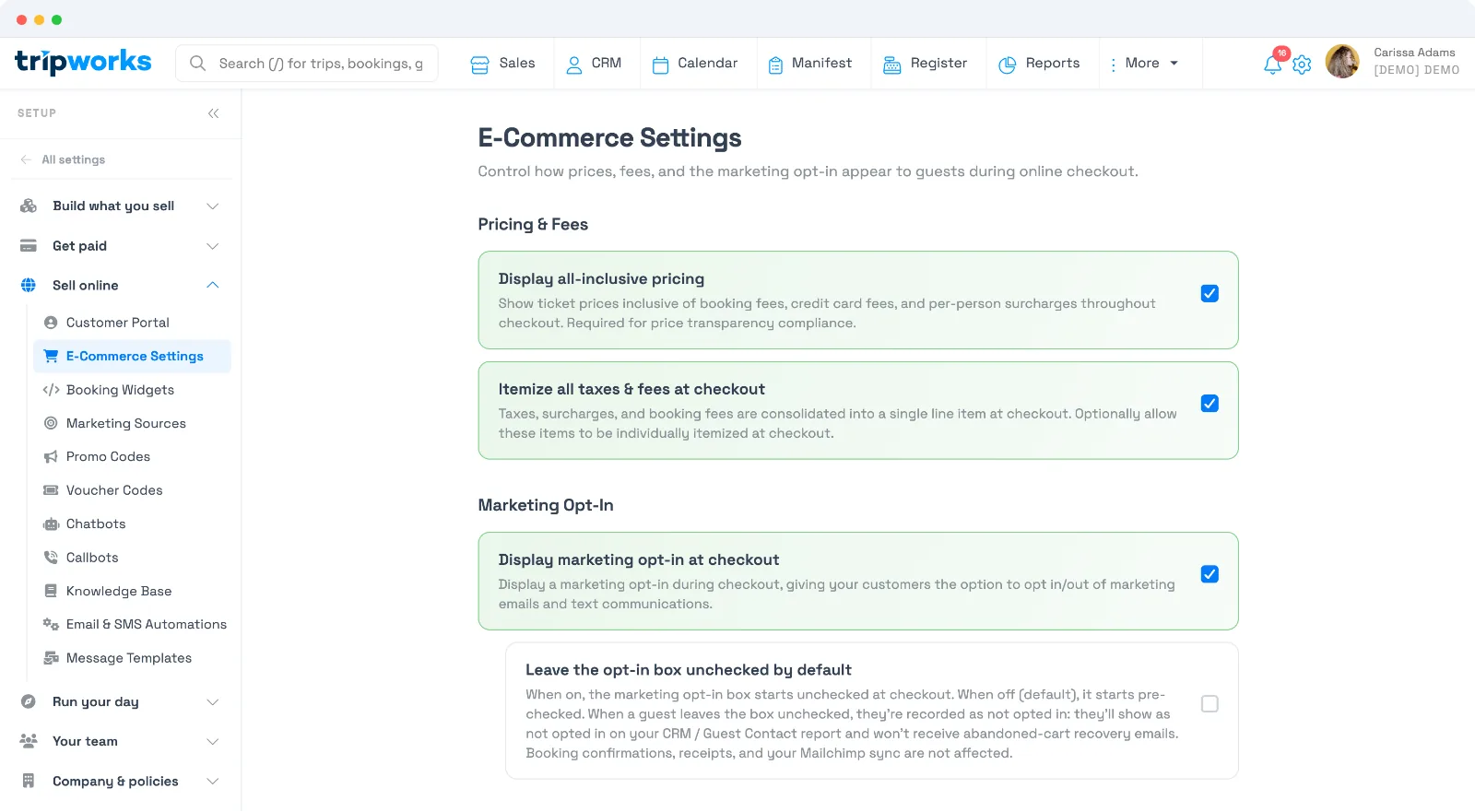
Pricing & fees
- Display all-inclusive pricing — show prices with booking fees, card fees, and per-person surcharges baked in from the start of checkout. Helps you meet price-transparency rules.
- Itemize all taxes & fees at checkout — show taxes, surcharges, and fees as separate line items rather than one combined total.
Marketing opt-in
- Display marketing opt-in at checkout — give guests a checkbox to opt in (or out) of marketing emails and texts.
- Leave the opt-in box unchecked by default — when on, guests start unchecked. Guests who don't opt in won't receive marketing or abandoned-cart recovery emails (booking confirmations and receipts always send).
"How did you hear about us?"
This prompt asks guests how they found you, feeding your marketing reports. Turn it on or off (for online and offline bookings) under Setup Sell online Marketing Sources.
Customer information fields
Every booking always collects the lead guest's first name, last name, email, and phone — these can't be removed, since TripWorks needs them to send confirmations and reach the guest.
Beyond those, you choose what else to collect. Data fields (extra guest details and your own custom questions) are set per activity on that activity's Fields tab — set a field to Hidden to keep it off checkout. See Add custom fields to an activity.
Frequently asked questions
How do I remove the "How did you hear about us?" prompt?
Go to Setup → Sell online → Marketing Sources and turn the prompt off. You can disable it for online checkout, offline bookings, or both.
Which fields are always required?
The lead guest's first name, last name, email, and phone. They're essential for confirmations and communication, so they can't be made optional or hidden.
How do I hide extra customer fields at checkout?
They're set per activity. Open the activity, go to its Fields tab, and set the fields you don't need to Hidden — see Add custom fields to an activity.
Should I turn on all-inclusive pricing?
It's recommended — showing the full price upfront builds trust and helps meet price-transparency rules. Guests see fewer surprises at the final step.
Related
Built for attractions, tours & activities
A checkout that converts
See how attractions, tours, and activities give guests a fast, transparent checkout on TripWorks. Book a demo and make the switch.