
For a reseller whose bookings require payment at the time of booking, saving their card on file means you don't have to ask for card details on every single booking. The sale still attributes to the reseller; only the payment step gets simpler.
In this article
If a reseller instead gives you a different card for every booking (for example, a virtual card generated per booking), you don't need to save anything. See does TripWorks accept virtual cards (VCC), WEX, or VPAY?.
Save a reseller's credit card
- Go to More → Resellers.
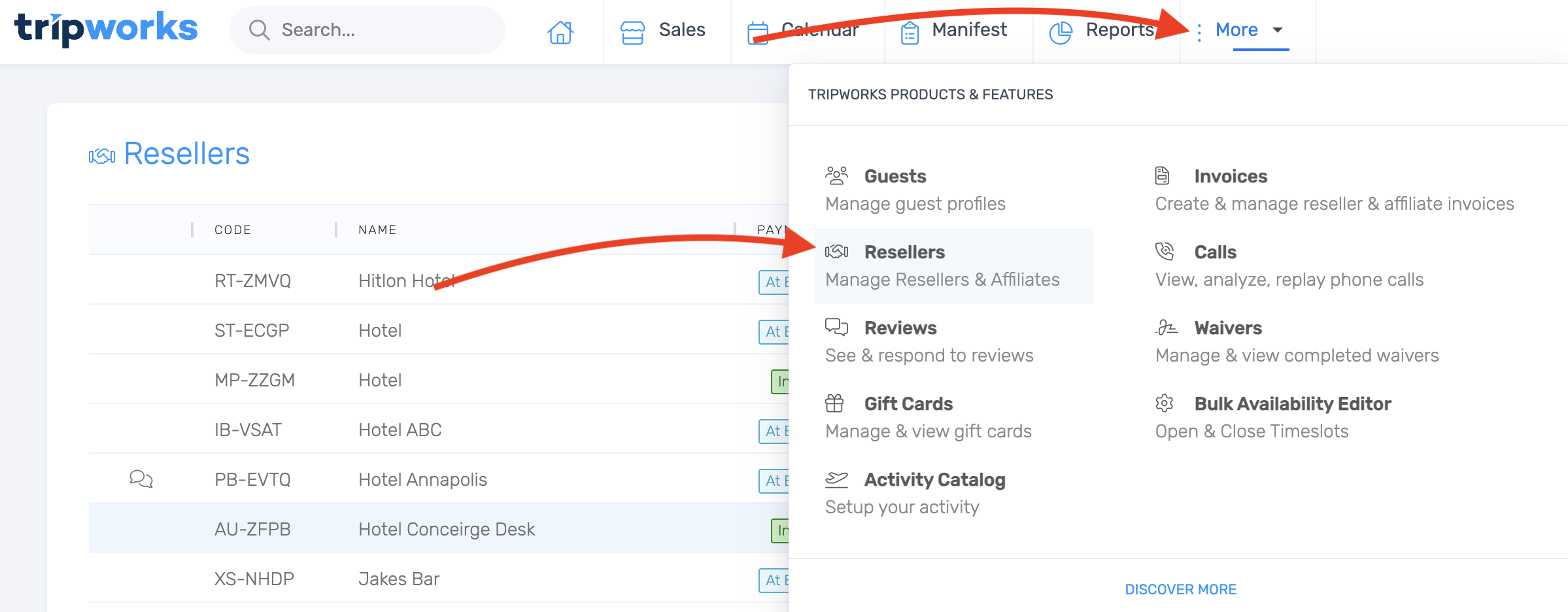
- Select the reseller you want to save a card for.
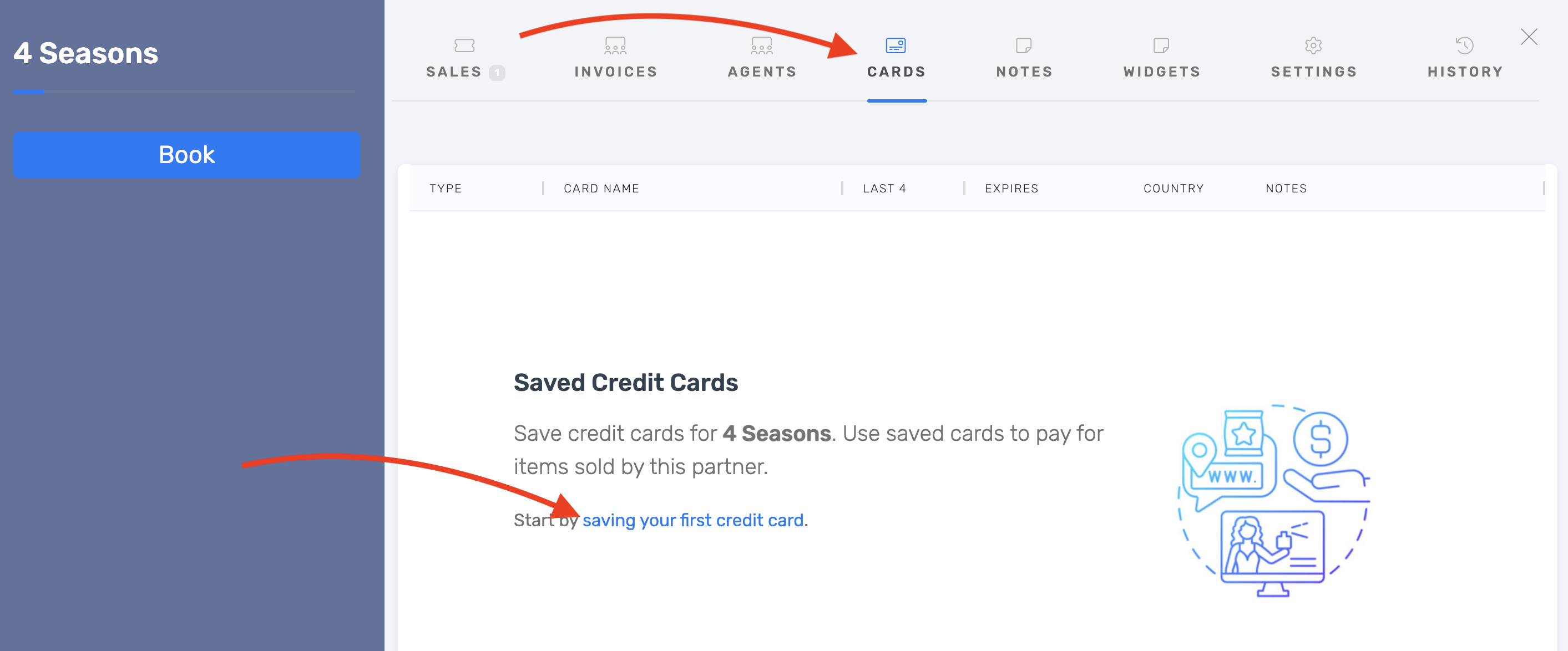
- Open the Cards tab.
- Choose Save first credit card.
- Enter the card details.
- Optionally add a note (for example, to record who authorized the card).
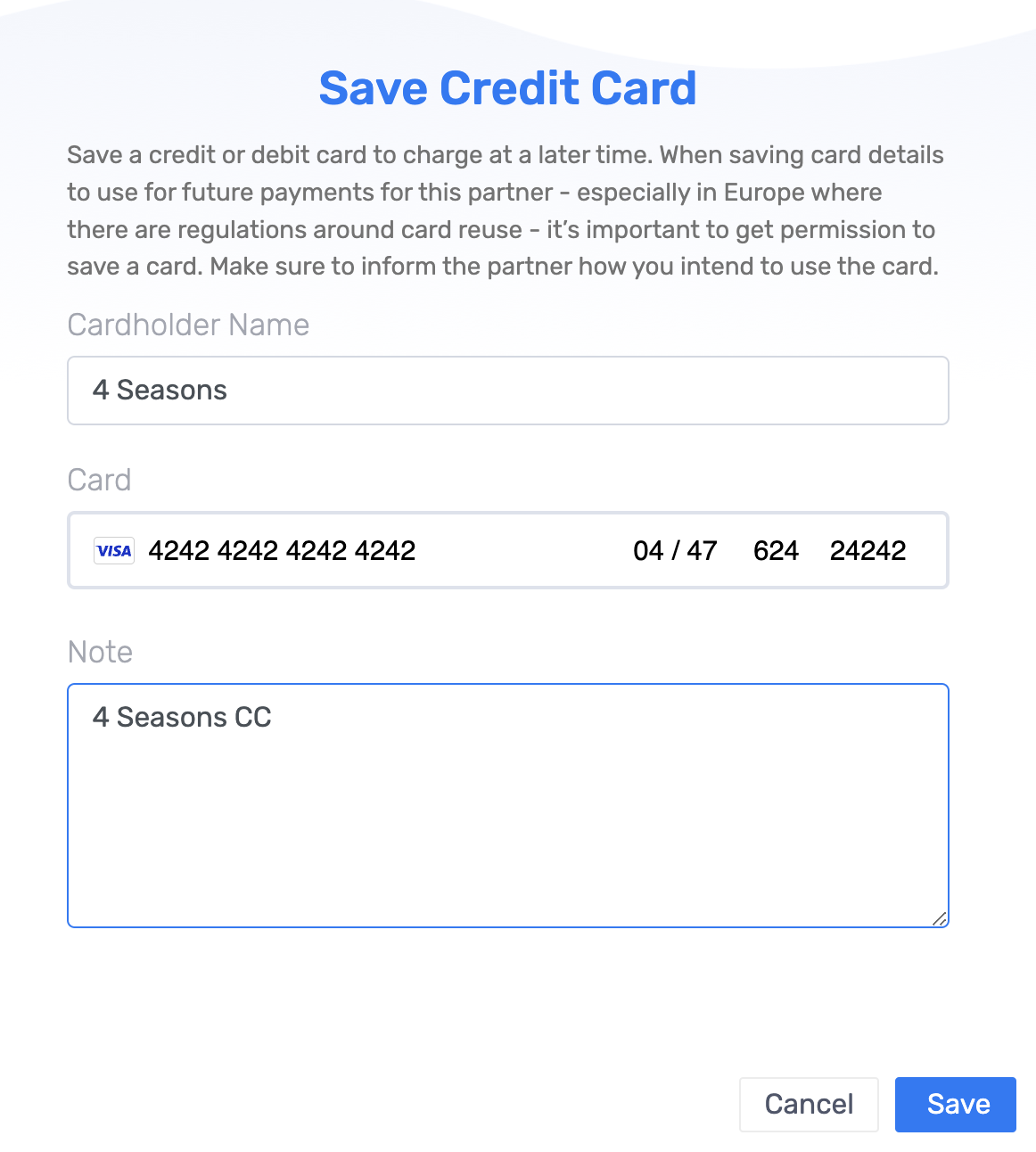
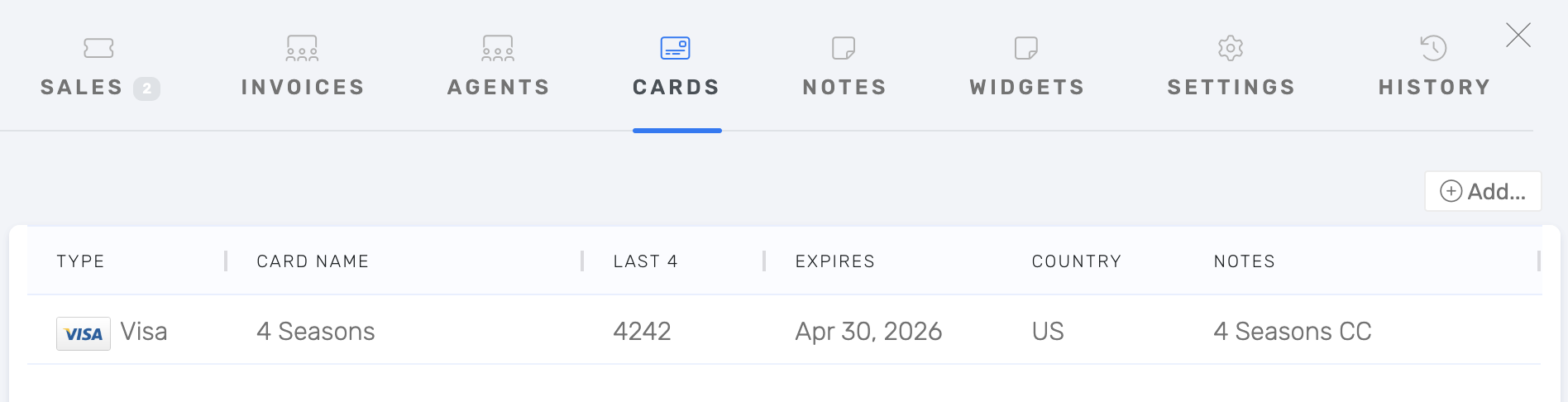
- Save. The card is now stored on the reseller's profile.
Charge a saved reseller card
- Book the trip under the reseller's account as usual.
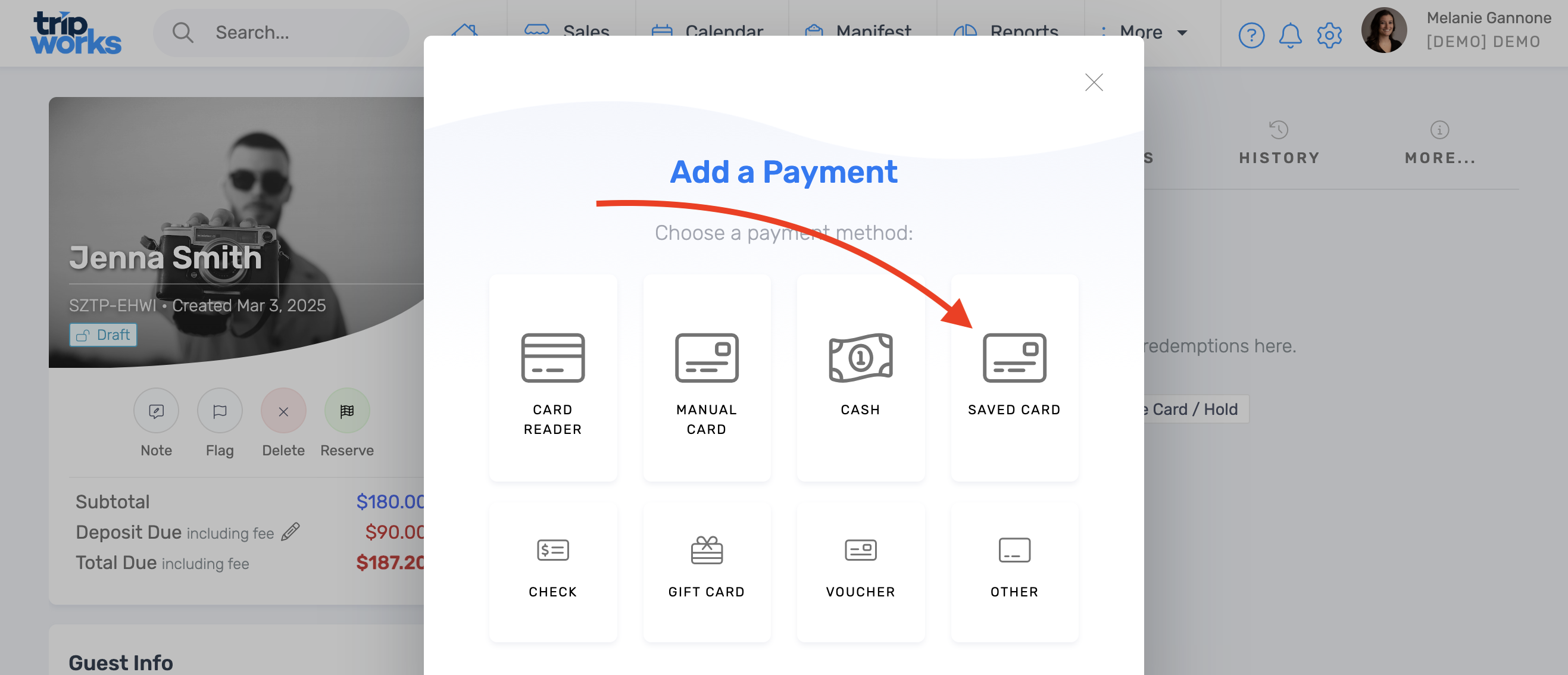
- At the payment step, choose Saved Card instead of manually entering card details.
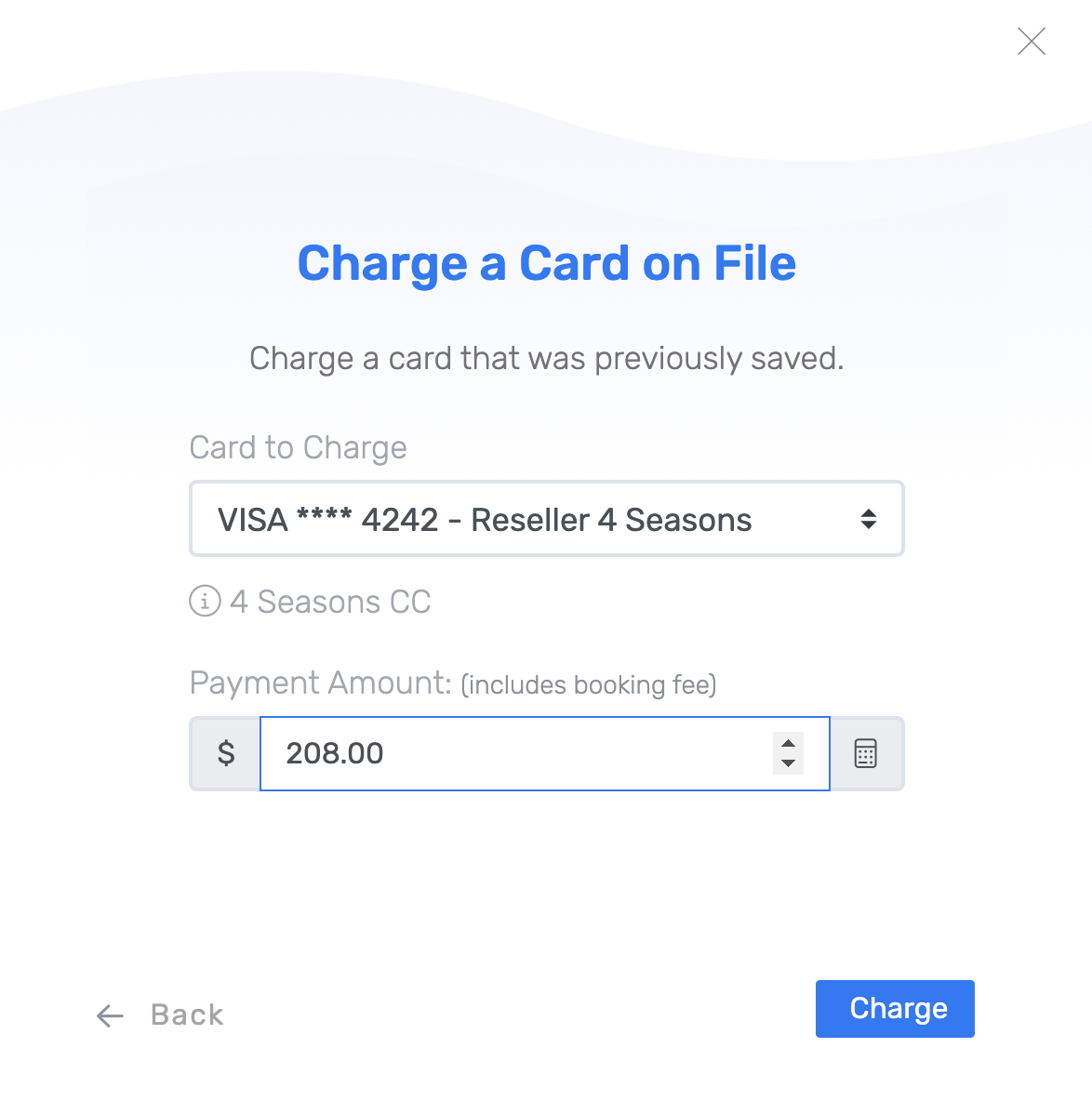
- Select the stored reseller card and choose Charge.
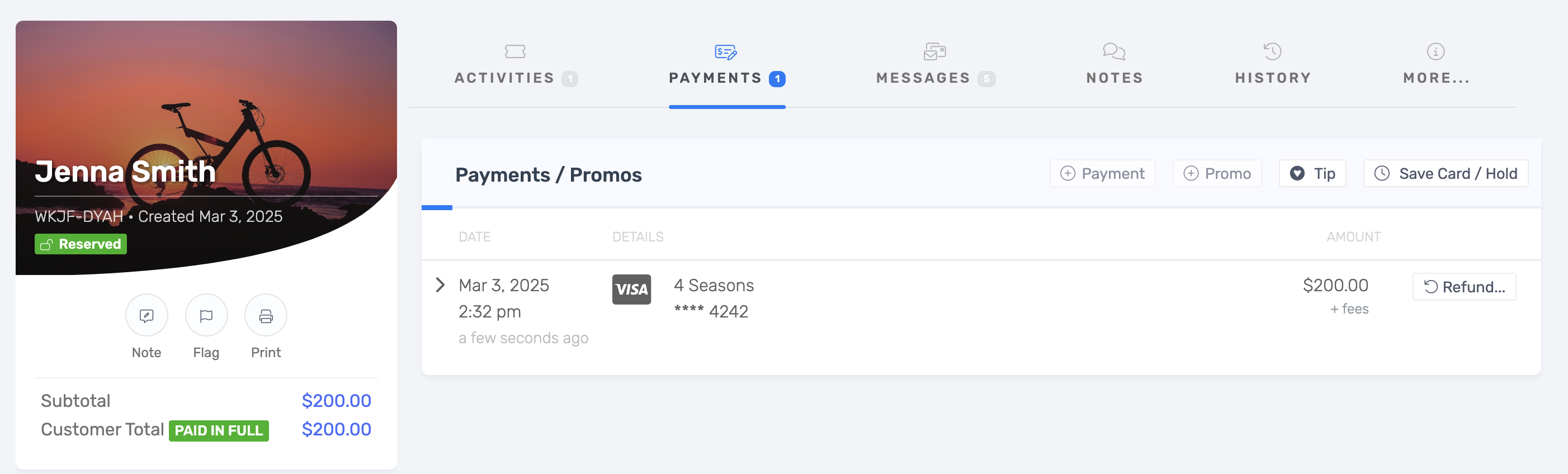
The payment now appears as a posted transaction on the trip.
Frequently asked questions
Can I use a different card for each booking instead of saving one?
Yes. Saving a card is optional. Enter card details manually at the payment step for any booking that needs a different card, which fits a reseller that gives you a new (or virtual) card each time.
Can I save more than one card for a reseller?
Yes. A reseller's Cards tab can hold more than one saved card; choose which one to charge at the payment step.
Does this work with virtual cards?
Yes, a virtual card is entered and saved the same way as a physical one. See does TripWorks accept virtual cards (VCC), WEX, or VPAY? for which card networks are supported.
Related
- Does TripWorks accept virtual cards (VCC), WEX, or VPAY?
- Setting up and using credit card pre-authorizations
Built for attractions, tours & activities
Payment flexibility built for how resellers actually pay
See how attractions, tours, and activities take payment from resellers on TripWorks. Book a demo and make the switch.