
Taking cards online means some risk of fraud and the chargebacks that follow. TripWorks works to keep that risk low with protection built into every card payment — nothing to set up. It comes in three layers, and there's one action only you can take when a payment is flagged.
In this article
1. Real-time screening at checkout
Every card payment is screened for fraud signals the moment it's made, using real-time risk scoring (powered by Stripe). Higher-risk payments can be automatically challenged before they go through, so a lot of fraud is stopped at the door.
2. 3D Secure verification
When a card's issuing bank wants extra assurance, the guest verifies the payment with their bank — the 3D Secure step behind Strong Customer Authentication. A successful check also shifts liability for fraudulent-card chargebacks to the card issuer. It's automatic; see Does TripWorks support 3D Secure (SCA)?.
3. Early Fraud Alerts on the trip
Sometimes a card is reported as stolen or fraudulent after a payment already cleared. When a card's issuer flags a charge as suspected fraud — through the card networks (Visa, Mastercard, American Express) — TripWorks surfaces an Early Fraud Alert right at the top of the trip, so you can act before it turns into a chargeback.
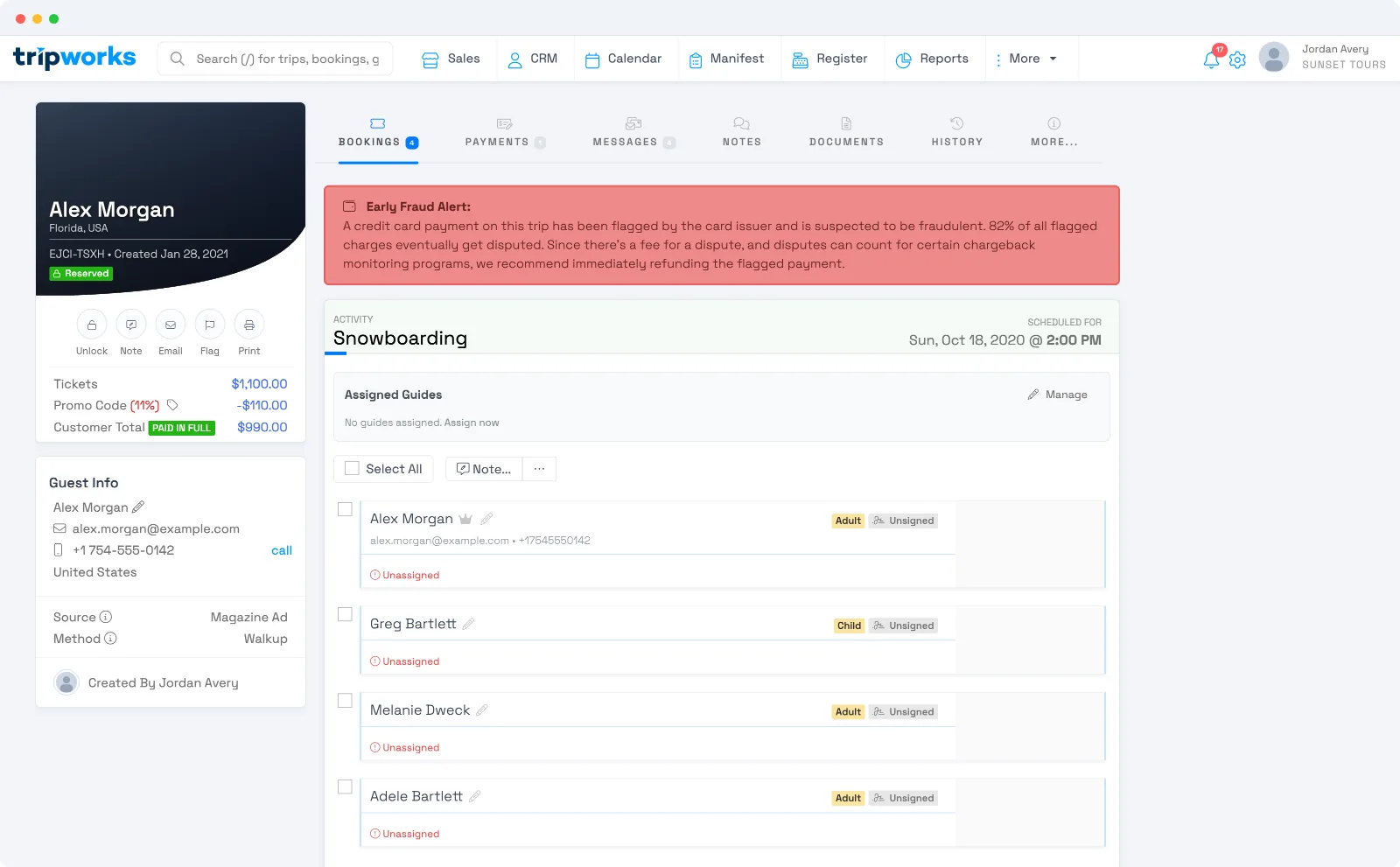
What to do when you see one
The alert recommends refunding the flagged payment right away, and that's usually the right move: the large majority of flagged charges go on to be disputed, and refunding before a dispute is filed avoids the dispute — and its fee — entirely. Refund the payment from the trip's Payments tab; once you do, the alert clears.
Acting early also protects your account over time: disputes count toward the card networks' fraud-monitoring programs, so keeping them low keeps your payments healthy.
If you're confident a flagged payment is legitimate, you don't have to refund it — the decision is yours. TripWorks flags the risk and recommends action, but never refunds automatically.
Get notified the moment a payment is flagged
So the right person sees an Early Fraud Alert without watching every trip, turn on the Credit card fraud alert notification for them — by email, SMS, or the in-app alerts center. See Set up team member alerts.
Frequently asked questions
Do I need to set up fraud protection?
No. Real-time screening and 3D Secure are built into checkout, and Early Fraud Alerts appear on the trip automatically. The one thing worth turning on is the Credit card fraud alert notification so someone is told when a payment is flagged.
What should I do when I see an Early Fraud Alert?
Review the payment. If you believe it's fraudulent, refund it promptly from the trip's Payments tab — refunding before a dispute is filed avoids the dispute and its fee. The alert clears once you refund.
Does a fraud alert mean I'll definitely get a chargeback?
Not always, but flagged charges are disputed far more often than normal ones, so acting early is your best protection. Refunding a genuinely fraudulent payment is almost always cheaper than fighting the dispute later.
Does TripWorks stop or refund a suspicious payment for me?
Risky payments can be challenged at checkout automatically, but once a payment has cleared, TripWorks won't refund it on its own. An Early Fraud Alert flags it and recommends a refund — the decision stays with you.
Related
Built for attractions, tours & activities
Take card payments with confidence
See how attractions, tours, and activities cut fraud and chargebacks with protection built into checkout on TripWorks. Book a demo and make the switch.