
TripWorks can notify a team member when something happens on your account — a new booking is reserved, a customer abandons checkout, an email bounces, a refund is processed, and more. You control which events each person is alerted about and how they're notified.
In this article
There are three channels, set per event, per team member:
- Email — sent to the address on their Profile tab.
- SMS — texted to the mobile phone number on their Profile tab.
- App — shown in the in-app alerts center (the Bell icon in the top bar).
Before you begin
You need the Create and manage other users permission (see the User permissions reference) to edit another team member's alerts.
For SMS and email to reach someone, make sure their Profile tab has a valid mobile phone number and email address.
Choose a team member's alerts
- Go to Setup → Your team → Team Members.
- Select the team member.
- Open the Notifications tab.
- For each event, turn on the channels you want — Email, SMS, and/or App.
- Select Save changes.
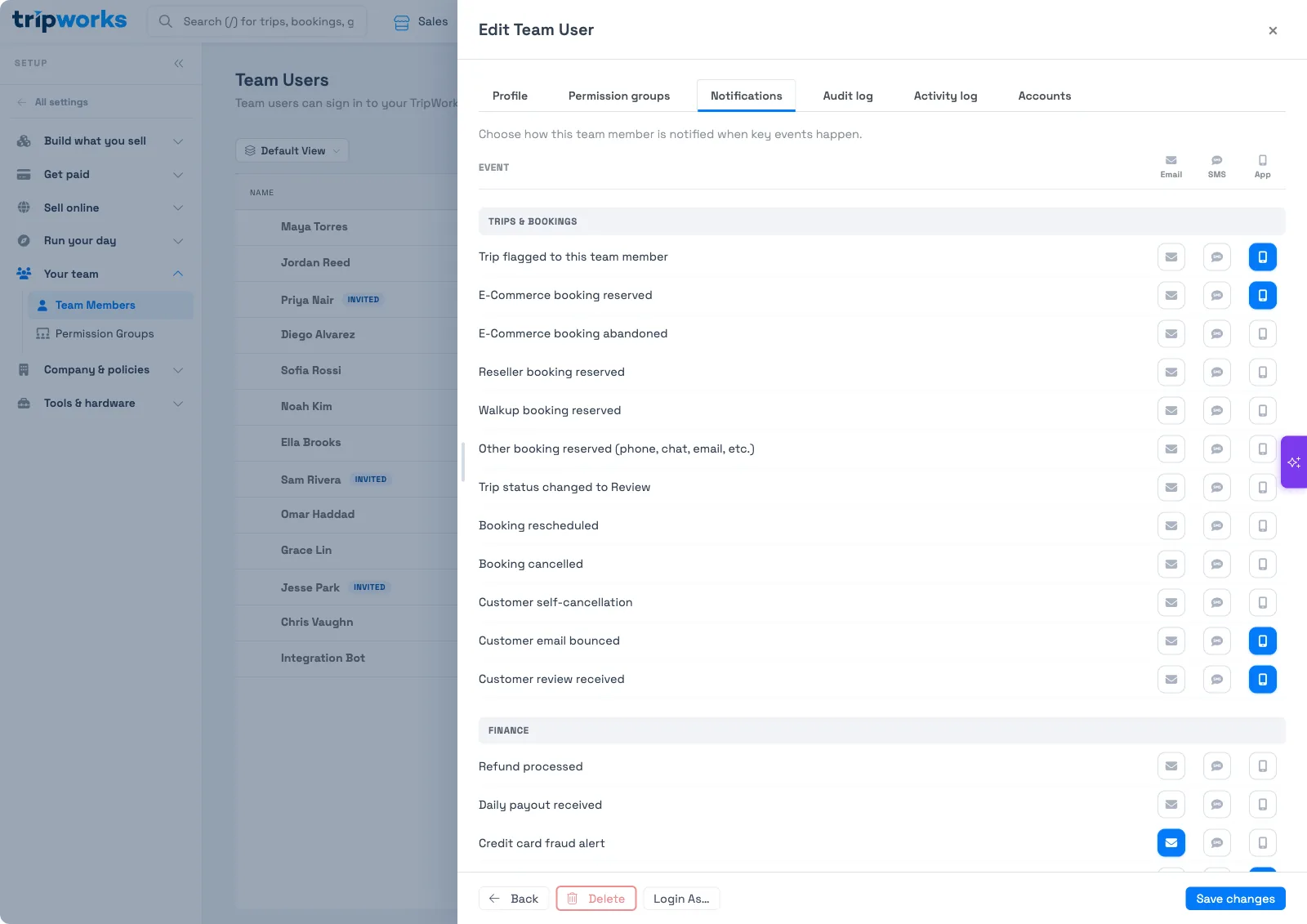
Events are grouped by area — such as Trips & Bookings and Finance — so you can, for example, send a manager the finance alerts (refunds, payouts, fraud) while your front desk gets only the booking ones.
The in-app alerts center
App alerts appear under the Bell icon in the top bar — open it and choose the Alerts tab. This is the channel that doesn't depend on an inbox or phone, so it's a good default for staff who work inside TripWorks all day.
Turning on lots of email or SMS alerts for everyone leads to noise people tune out. Start with the few events each role truly needs to act on, and lean on App alerts for the rest.
If someone stops getting emails
Email alerts are also gated by one master switch. On the team member's Profile tab, under Access, Opted out of email notifications blocks all email to that person while it's on — regardless of their Notifications settings. Turn it off to restore their email.
Related
Built for attractions, tours & activities
Keep your team in the loop
See how attractions, tours, and activities keep staff on top of new bookings, cancellations, and more with TripWorks alerts. Book a demo and make the switch.