
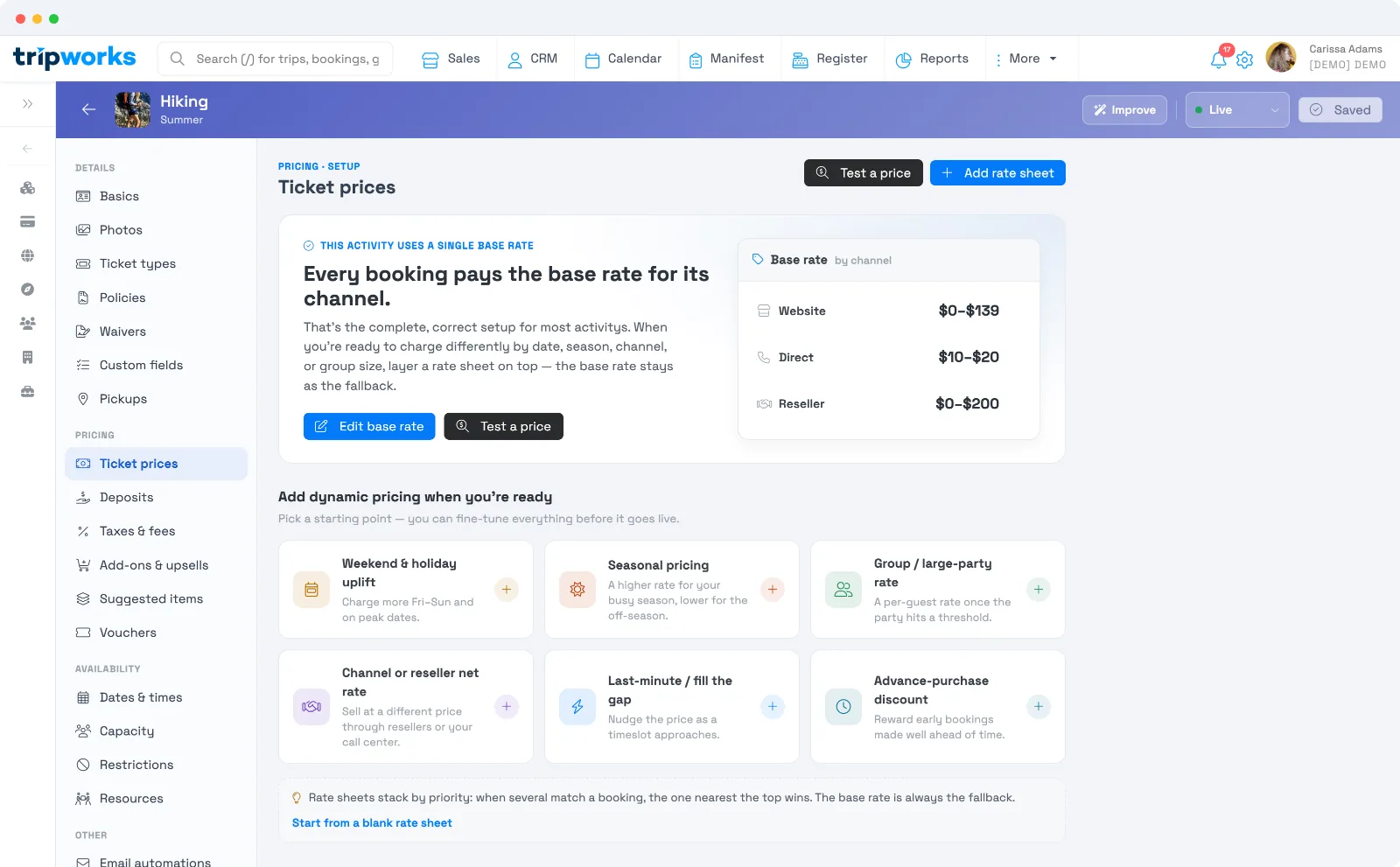
Every activity has a base rate — the price each ticket type charges, set per channel. Open your activity and go to the Ticket prices tab to set it. For most activities, the base rate is the whole story; you only add more when you want to charge differently by date, season, channel, or group size.
In this article
The base rate, by channel
Your base rate is set for each of your selling channels, so you can charge differently depending on where a booking comes from:
- Website — your online booking widget.
- Direct — bookings you or your team take (phone, walk-up, back office).
- Reseller — bookings that come through an OTA or reseller.
Select Edit base rate to set the price for each ticket type on each channel. A base rate of $0 is a real, free price — not a missing one — so use it deliberately for complimentary tickets.
Check your price before you launch
Select Test a price to trace exactly what a given booking would be charged — a specific date, channel, and party size — so you can confirm your setup does what you expect. See Test a price.
Below your base rate, Channel coverage — check for gaps flags any channel that isn't fully priced, so you don't accidentally leave a channel without a rate.
When you need to charge differently
When a single base rate isn't enough — weekend uplifts, a busy season, a reseller net rate, group discounts — you layer a rate sheet on top. The base rate always stays as the fallback, so nothing breaks. See Rate sheets: dynamic pricing.
Frequently asked questions
Do I have to set up complicated pricing?
No. A single base rate per channel is the complete, correct setup for most activities. Add rate sheets only when you want to vary the price by date, season, channel, or group size.
Why can I set a different price for each channel?
So you can price your website, your own direct bookings, and reseller/OTA bookings independently — for example, a different net rate for resellers.
How do I set a free ticket?
Set its base rate to $0. A $0 price is treated as a real, free price — not an unset one.
Where do I set which ticket types exist?
On the Ticket types tab. Prices here are set per ticket type, so add your ticket types first.
Related
Built for attractions, tours & activities
Pricing that's simple until you need more
See how attractions, tours, and activities price by channel and season on TripWorks. Book a demo and make the switch.