
When a group books together, you can either collect one combined payment for the whole trip, or give each guest their own tab: their own balance, payment history, and receipt, so they can pay for just their own tickets and add-ons.
Turn on separate tabs
- Go to Setup Get paid Point of Sale & Tips.
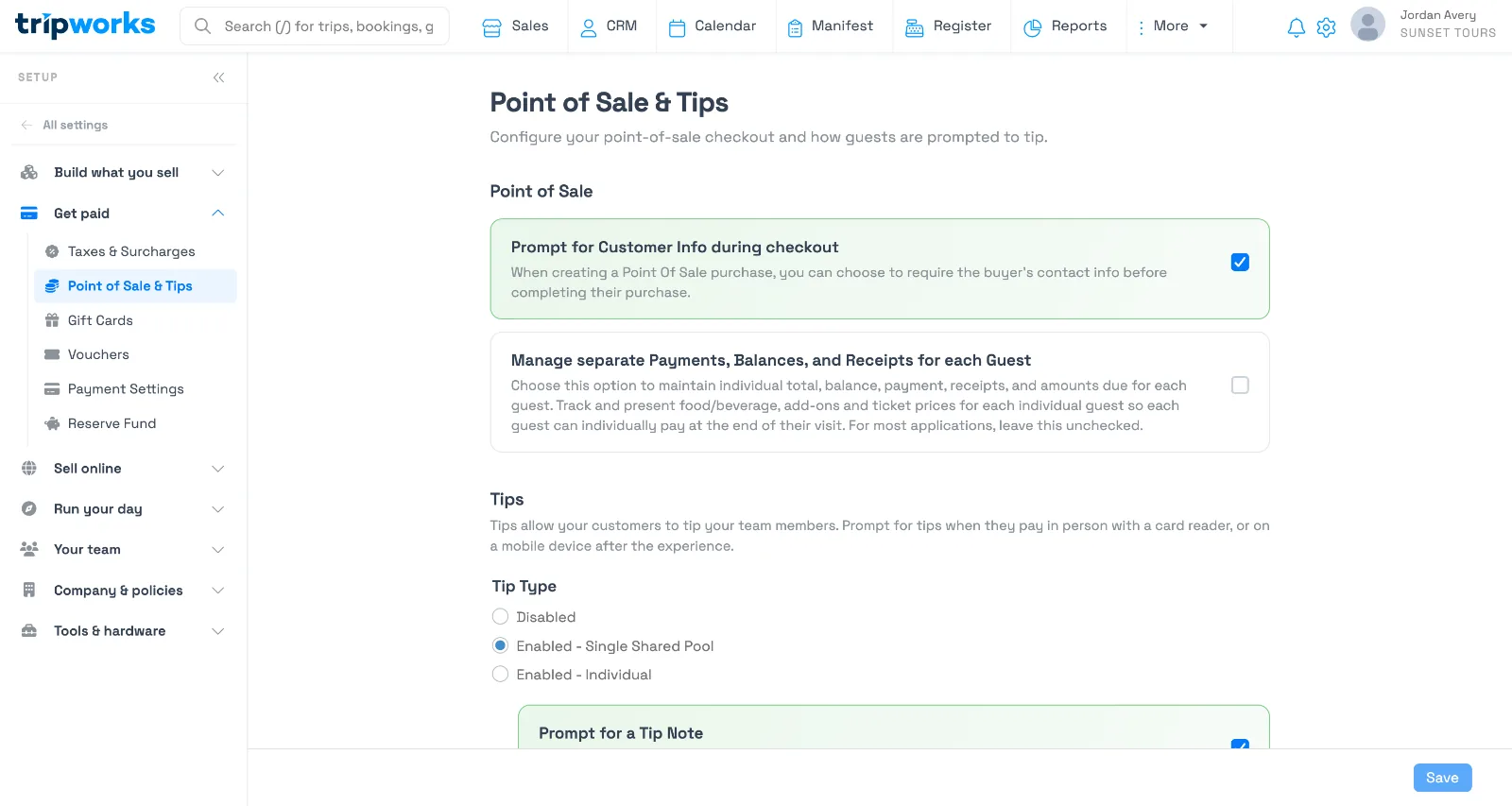
The setting is unchecked by default — most accounts collect one combined payment per trip. - Check Manage separate Payments, Balances, and Receipts for each guest, under Point of Sale.
- Select Save.
How it changes the trip view
With separate tabs on, every guest's booking gets its own Pay Now button and its own running balance, instead of one combined total for the trip:
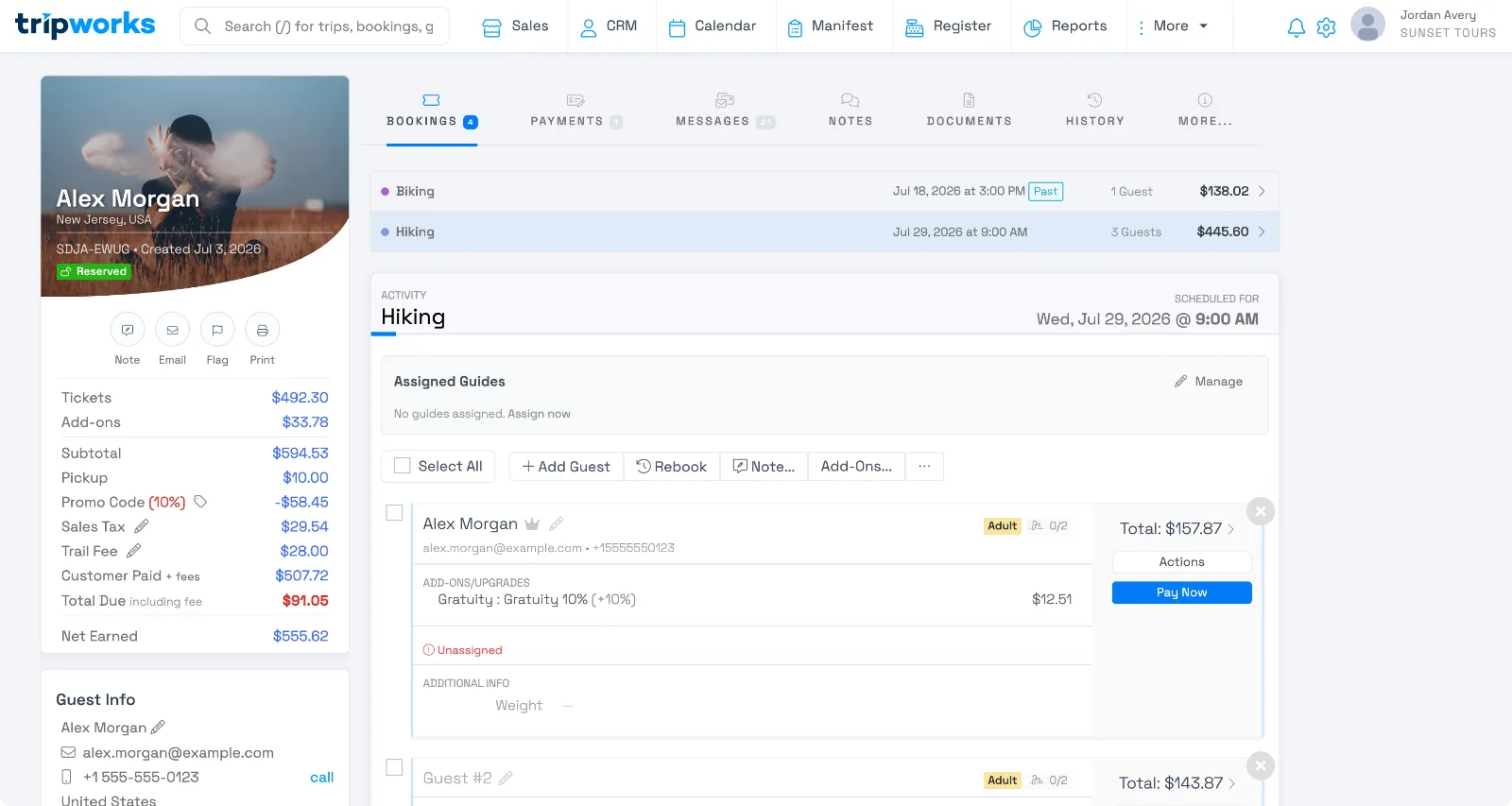
Select Pay Now on a guest's booking to take a payment for just that guest, the same way you'd record any other payment on a trip.
Frequently asked questions
What happens to the combined Pay button when I turn this on?
It's replaced by individual Pay Now buttons on each guest's booking. There's no longer a single button to pay the whole trip's balance at once; each guest's tab is paid separately.
Can I turn this off again later?
Yes. Unchecking the setting returns the trip view to one combined balance and payment for the whole trip. It doesn't change payments you've already collected.
Does this affect what guests see when booking online?
No. This setting only changes how your team collects payment from the back office. It doesn't change the guest's checkout experience.
Related
Built for attractions, tours & activities
Let every guest cover their own tab
See how attractions, tours, and activities let groups split the bill guest by guest, on TripWorks. Book a demo and make the switch.