
The audit log records who changed what in your account, and when. Use it to find out who edited a booking, why a price changed, or what a team member has been doing.
In this article
Open the full audit log
Learn how to manage permission groups
Go to Setup → Tools & hardware → Audit Log. Each row shows the date, location, user, and event, with a summary of what changed. A change shows the old value and the new one, such as a status moving from Booked to Cancelled.
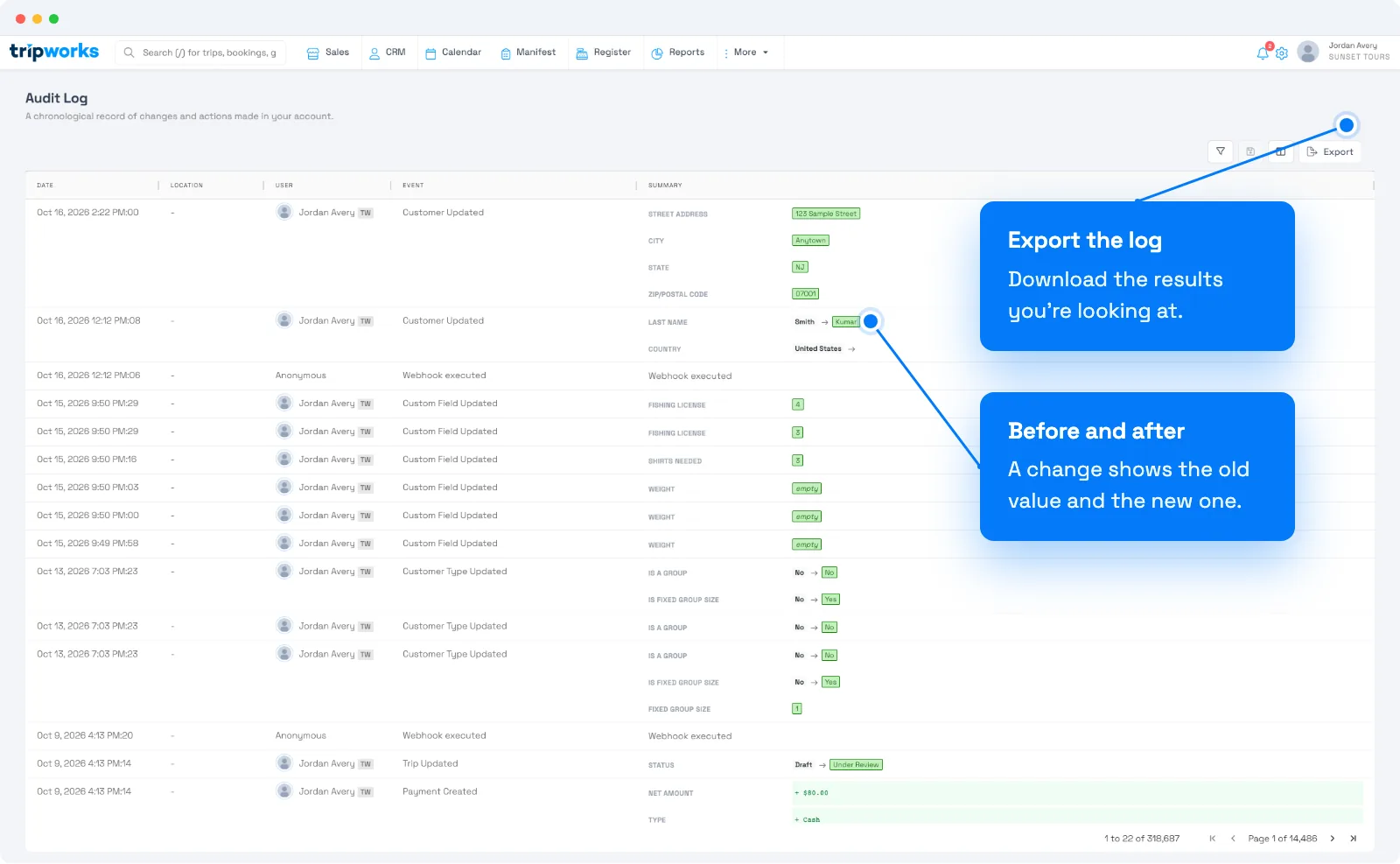
Narrow the list with the column filters, for example by date, user, or object type. Choose Export to download the results.
The log keeps 18 months of history.
Check one record
Open a trip, customer, or reseller and choose its History tab to see only that record's changes. On a phone or tablet this isn't available, and the tab shows the latest 100 entries.
Activities, guides, and waiver types have their own Audit Log tab too.
Check a team member
Open the person under Setup → Team Members. Two tabs answer different questions:
- Audit log shows changes made to that team member's account, such as role changes.
- Activity log shows changes that team member made elsewhere in the account.
See Team members.
Frequently asked questions
Who changed this booking?
Open the trip and choose its History tab.
What has a staff member been doing?
Open their profile under Setup → Team Members and choose Activity log.
Why can't I see the audit log?
You need both the Manage company profile and Manage activities or experiences permissions. Ask an account admin to check your permission group.
Related
Built for attractions, tours & activities
Know who changed what
See how attractions, tours, and activities track every change to bookings, prices, and settings on TripWorks. Book a demo and make the switch.