
TripWorks doesn't provide waiver or liability-release text. The legal language has to come from your own insurer or an attorney familiar with your activity and your jurisdiction — a generic template could leave you unprotected.
Once you have your wording, you enter it into TripWorks and collect electronic signatures from guests before or at the time of their activity.
Add your waiver in TripWorks
- Go to Setup Build what you sell Waivers.
- Select New Waiver.
- Name it and paste your legal text into the waiver body.
- Save, then assign it to the activities that need it.
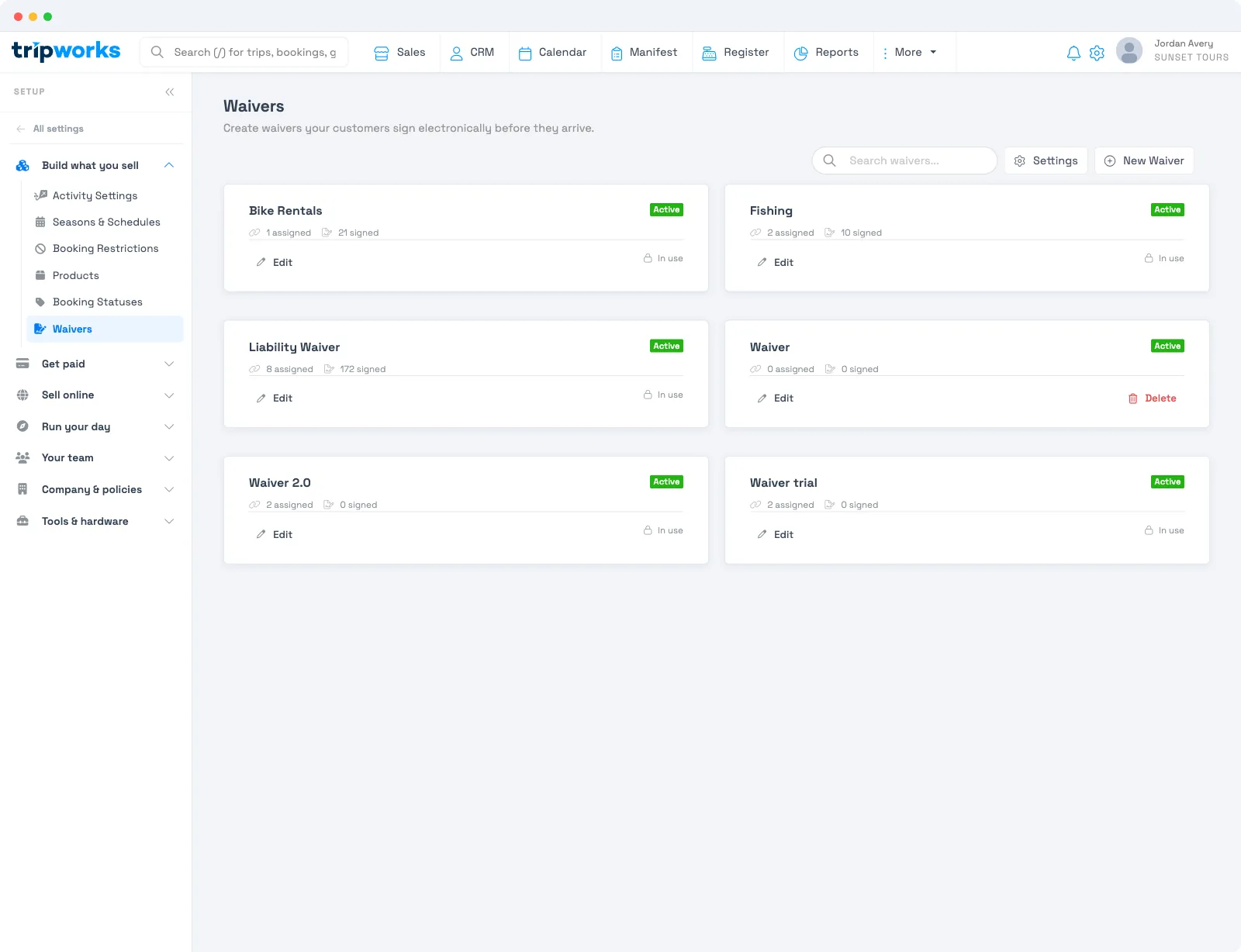
You can build an unlimited library of waivers and assign up to three to any activity — see Multiple waivers, additional signers & bulk actions.
Frequently asked questions
Does TripWorks give me a liability waiver to use?
No. The legal text must come from your insurer or an attorney for your activity and location. TripWorks is where you enter that text and collect signatures — not the source of the wording.
Where do I enter my waiver text?
Setup → Build what you sell → Waivers → New Waiver. Paste your text into the body, save, and assign it to your activities.
Can I download a blank copy of a waiver?
There's no separate "blank waiver PDF" export — waivers are meant to be signed electronically. To read or hand out the wording, use Preview in the waiver editor to open the waiver, then print it or save it as a PDF from your browser.
Related
Built for attractions, tours & activities
Collect signed waivers without the paperwork
See how attractions, tours, and activities collect e-signed waivers before guests arrive on TripWorks. Book a demo and make the switch.