
Raising your prices is safe to do any time: trips already on the books keep the price they were booked at. The only question is when you want the new prices to start — right away, or on a future date.
In this article
First, the reassurance
Every booking captures its price at the moment it's made. When you change your prices, that only affects new bookings from then on — nothing reprices a trip that's already booked. So you can update prices without worrying about disrupting existing reservations.
How pricing is built: base rate + rate sheets
It helps to know how the two pieces fit together, because it answers the common question "do I stop using the base rate if I set up seasonal prices?" — no, you don't.
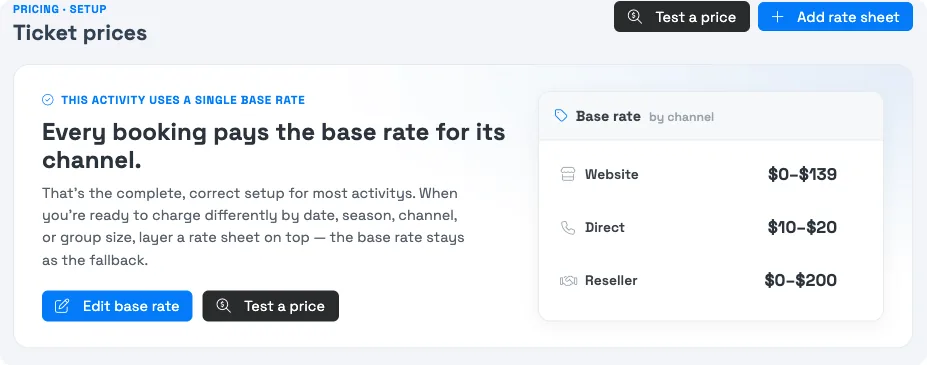
- The base rate is your always-on price — the fallback every booking uses when nothing more specific applies. You can't turn it off; it has no dates or conditions, so it's the price that's always there underneath.
- Rate sheets layer on top. A rate sheet has criteria (a season/date range, channels, group size) and only applies when those match — and when it does, it takes precedence over the base rate for that window.
So the intended pattern is: keep the base rate as your standard, everyday price, and add rate sheets for the exceptions (a peak season, a channel-specific rate). You're never choosing base or seasonal — you use the base rate plus rate sheets.
Worked example — stepping prices up for next year (e.g. "my 2026 peak rate becomes my 2027 standard, with a new 2027 peak on top"):
- Set the base rate to your new standard price (your old peak becomes the everyday rate).
- Create a Season for your 2027 peak dates and a Live rate sheet scoped to it with the higher peak price.
- Done — the base rate covers ordinary dates, and the peak rate sheet takes over during the season. You don't retire the base rate.
Raise prices now
For an immediate, permanent increase:
- Go to Setup Experiences and open the activity.
- Open the Ticket Prices tab.
- Click Edit base rate, update the price for each ticket type and channel, and Save.
The new prices apply to bookings made from that point on.
Schedule an increase for a future date
To have new prices start on a specific date — like new 2027 pricing — use a season plus a rate sheet, so the change switches on automatically:
- Go to Setup Build what you sell Seasons & Schedules and create a season (e.g. "2027 Pricing") covering the dates the new prices apply to.
- On the activity's Ticket Prices tab, add a rate sheet with the higher prices.
- Set the rate sheet's Status to Live, and under its Criteria choose During seasons → 2027 Pricing. Select the channels you sell on.
- Save. Use Test a price with a date in the new season to confirm it applies.
Seasons match on when the trip runs, not when it's booked. So a "2027 Pricing" season charges the new rate for any trip that takes place in 2027 — even if the guest books it in 2026. That's usually exactly what you want for a future price increase.
This is the same mechanism as seasonal pricing — you're just using it to step prices up on a date rather than for a recurring high season.
Changing the price of one existing booking
The steps above set your catalog prices. To change the price on a single trip that's already booked, reprice it from that trip directly — it won't be affected by a catalog price change.
Frequently asked questions
Do I stop using the base rate if I set up seasonal pricing?
No — and you can't. The base rate is the always-on fallback that has no dates or conditions, so it's always underneath. Rate sheets (like a peak season) layer on top and take precedence only when their criteria match. Keep the base rate as your everyday standard price and add rate sheets for the exceptions.
How do I make this year's peak rate next year's standard price?
Set the base rate to the new standard (your old peak becomes the everyday price), then create a Season for next year's peak dates with a Live rate sheet carrying the new, higher peak price. The base rate covers ordinary dates; the rate sheet takes over during the season. Already-booked trips keep their original price.
Will raising my prices change trips that are already booked?
No. Every booking captures its price when it's made, so a price change only affects new bookings. Existing reservations keep the price they were booked at.
How do I raise my base price right now?
Setup → Build what you sell → Activity Settings → open the activity → Ticket Prices tab → Edit base rate. Update each ticket type and channel and save. New prices apply to bookings made from then on.
Can I schedule a price increase for a future date?
Yes. Create a season covering the new-price dates, then add a Live rate sheet with the higher prices scoped to that season under its Criteria. The new prices switch on automatically for trips in that window.
Does the new price apply by booking date or trip date?
By trip date. A season-scoped rate sheet applies based on when the trip runs, so a 2027 season charges the new price for any trip dated in 2027, even if it's booked in 2026.
How can I check the new price before it goes live?
Use Test a price with a date inside the new season. It shows exactly which rate would apply on that date and channel, so you can confirm the increase is set up correctly. See Test a price.
Can I raise prices on just one channel (e.g. resellers)?
Yes. The base rate is set per channel, and a rate sheet's Criteria let you choose which channels it applies to — so you can raise reseller prices without changing your website price, or vice versa.
What if I only want to change the price of one booking?
Reprice that trip from the booking itself. Editing your catalog prices sets rates for future bookings; it doesn't touch an existing trip, which keeps its captured price until you reprice it directly.
Do I have to remove the old rate sheet later?
Not necessarily. Rate sheets apply by their criteria and priority, so a season-scoped increase only affects its dates. You can archive an old rate sheet once it's no longer needed to keep things tidy.
Related
Built for attractions, tours & activities
Raise prices with confidence
See how attractions, tours, and activities manage pricing on TripWorks. Book a demo and make the switch.