
Before you can sell gift cards, turn on the program and set a few defaults. Go to Setup Get paid Gift Cards and open Settings.
In this article
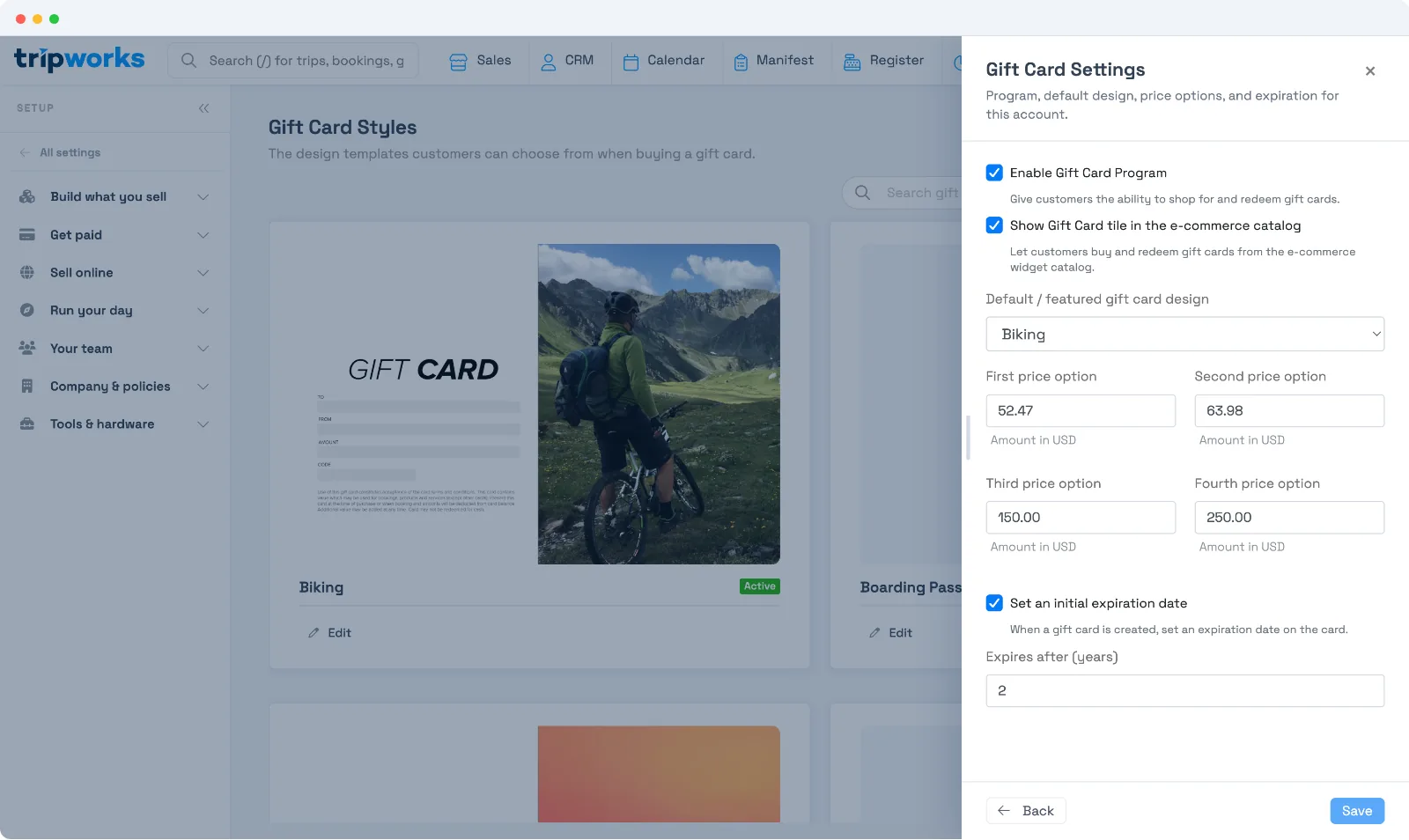
Settings
- Enable Gift Card Program — gives customers the ability to shop for and redeem gift cards. Turn this on first.
- Show Gift Card tile in the e-commerce catalog — lets customers buy and redeem gift cards right from your online store. Leave it off to keep gift cards to staff-sold only.
- Default / featured gift card design — the design shown first when someone buys a gift card. Set up designs under Design your gift cards.
- Price options — the four suggested amounts (First through Fourth price option) guests see at checkout. They can still enter a custom amount.
- Set an initial expiration date — when on, every new gift card gets an expiration date; set Expires after (years) to control how long a card is valid.
Select Save when you're done.
Next steps
- Design your gift cards — add the artwork guests choose from.
- Sell gift cards — how guests buy them and how you sell one directly.
Frequently asked questions
Do guests have to use one of the preset amounts?
No. The four price options are suggestions — guests can enter a custom amount at checkout.
Do gift cards expire?
Only if you turn on Set an initial expiration date and set Expires after (years). Leave it off and cards don't expire. An expired card can be reactivated later — see Manage gift cards.
Related
Built for attractions, tours & activities
Turn gift cards into year-round revenue
See how attractions, tours, and activities sell and manage gift cards on TripWorks. Book a demo and make the switch.